UK-8
Accessing iPod mode
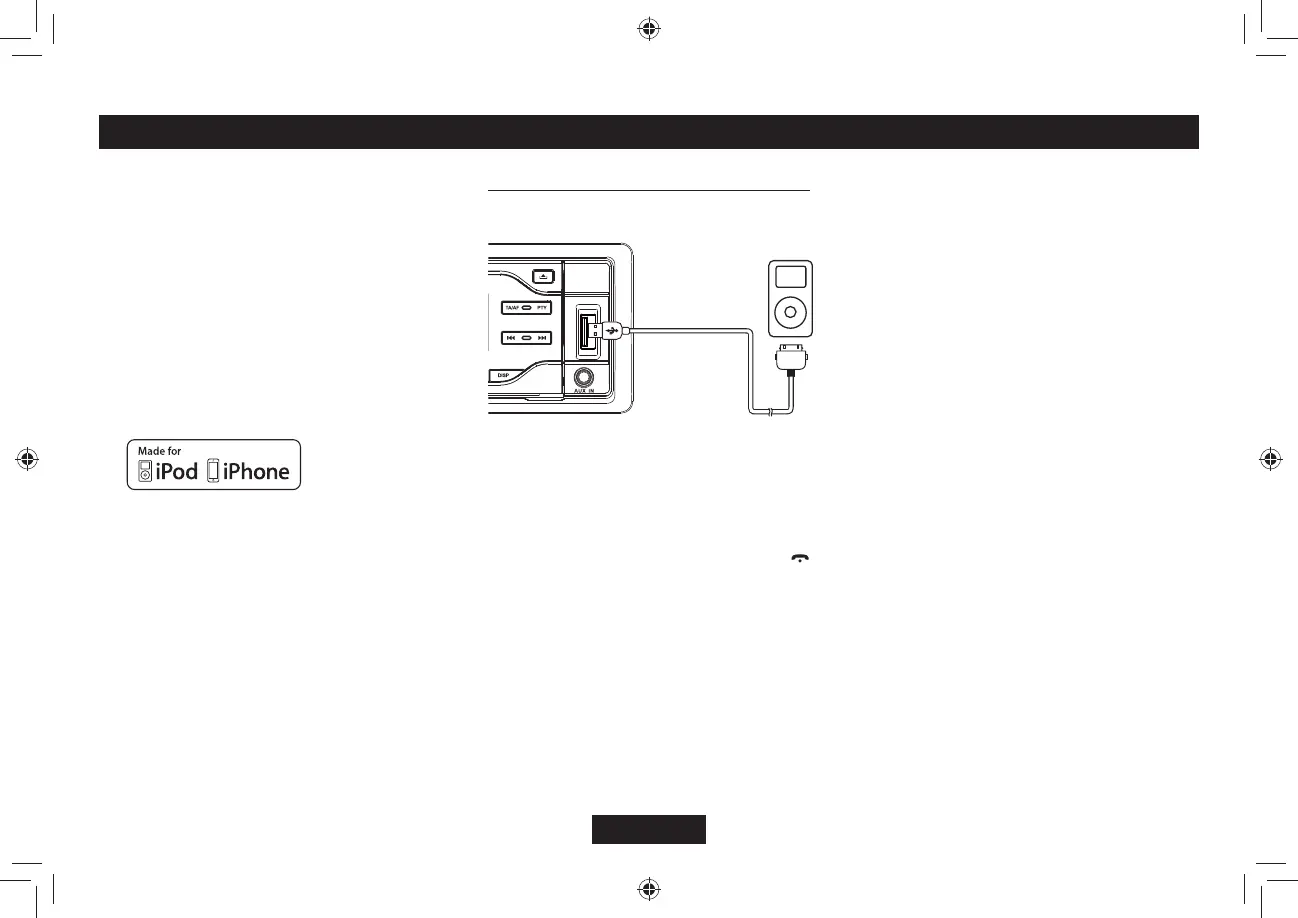
Connect an iPod or iPhone to the USB
connector via an iPod cable.
Touch [iPod] on the main menu to enter iPod
menu.
+H=K2QF?KUPŏVQPVJGEWTTGPVOGPWUNKFGVJG
DQVVQODCTNGHVQTTKIJVVQſPFKV
MENU
In the 5%64.1((OQFGpress [AMS /
]DWVVQPTQVCVGVJG[VOLUME] knob select
“MUSIC” or “VIDEO”.
Select “MUSICŒRTGUUVJG[MENU] DWVVQP
then rotate the [VOLUME] knob to show
PLAY LISTS / ARTISTS / ALBUMS /
)'04'5510)5%1/215'45RTGUU
and rotate the [VOLUME] knob to select a
FGUKTGFQRVKQPVJGPRTGUUVJG[VOLUME]
MPQDVQEQPſTO
Select “VIDEOŒRTGUUVJG[MENU] button
then rotate the [VOLUME] knob to show
/18+'5 / MUSIC 8+&'1685*195
8+&'121&%#5654'06#.5RTGUUCPF
rotate the [VOLUME] knob to select a desired
QRVKQPVJGPRTGUUVJG[VOLUME] knob to
EQPſTO
Note:
Ŗ 8+&'1/'07KVGOKUFKHHGTGPVD[VJGOQFGN
of connected iPod and language setting.
Repeat play
This function allows you to play the current
track repeatedly or play all tracks in your iPod/
iPhone repeatedly.
1. Press the [ 3 ] button once or more until “RPT
ON” appears on the LCD to perform repeat
play.
2. Press [ 3 ] button repeatedly until “RPT
OFF” appears on the LCD to cancel repeat
playback.
Random play
This function allows you to play all tracks
recorded on a disc in a random order.
1. Press [ 4 ] button repeatedly until “ALBUM
RDM” appears on the LCD for album random
play.
2. Press the [ 4 ] button once or more until
“SONG RDM” appears on the LCD to
perform random play.
3. Press [ 4 ] button repeatedly until “RDM
OFF” appears on the LCD to cancel random
playback.
This unit supports only the
following iPod/iPhone models:
· iPhone 5S
· iPhone 5C
· iPhone 5
· iPhone 4S
· iPhone 4
| K2QFVQWEJVJIGPGTCVKQP
| K2QFVQWEJVJIGPGTCVKQP
· iPod classic
| K2QFPCPQVJIGPGTCVKQP
| K2QFPCPQVJIGPGTCVKQP
| K2QFPCPQVJIGPGTCVKQP
ő/CFGHQTK2QFŒCPFő/CFGHQTK2JQPGŒ
mean that an electronic accessory has been
FGUKIPGFVQEQPPGEVURGEKHKECNN[VQK2QFQT
K2JQPGTGURGEVKXGN[CPFJCUDGGPEGTVKſGF
by the developer to meet Apple performance
standards. Apple is not responsible for the
operation of this device or its compliance with
safety and regulatory standards. Please note
that the use of this accessory with iPod or
iPhone may affect wireless performance.
iPhone and iPod are trademarks of Apple
+PETGIKUVGTGFKPVJG75CPFQVJGT
countries.
iPod & iPhone OPERATIONS



 To Next Page