UK-6
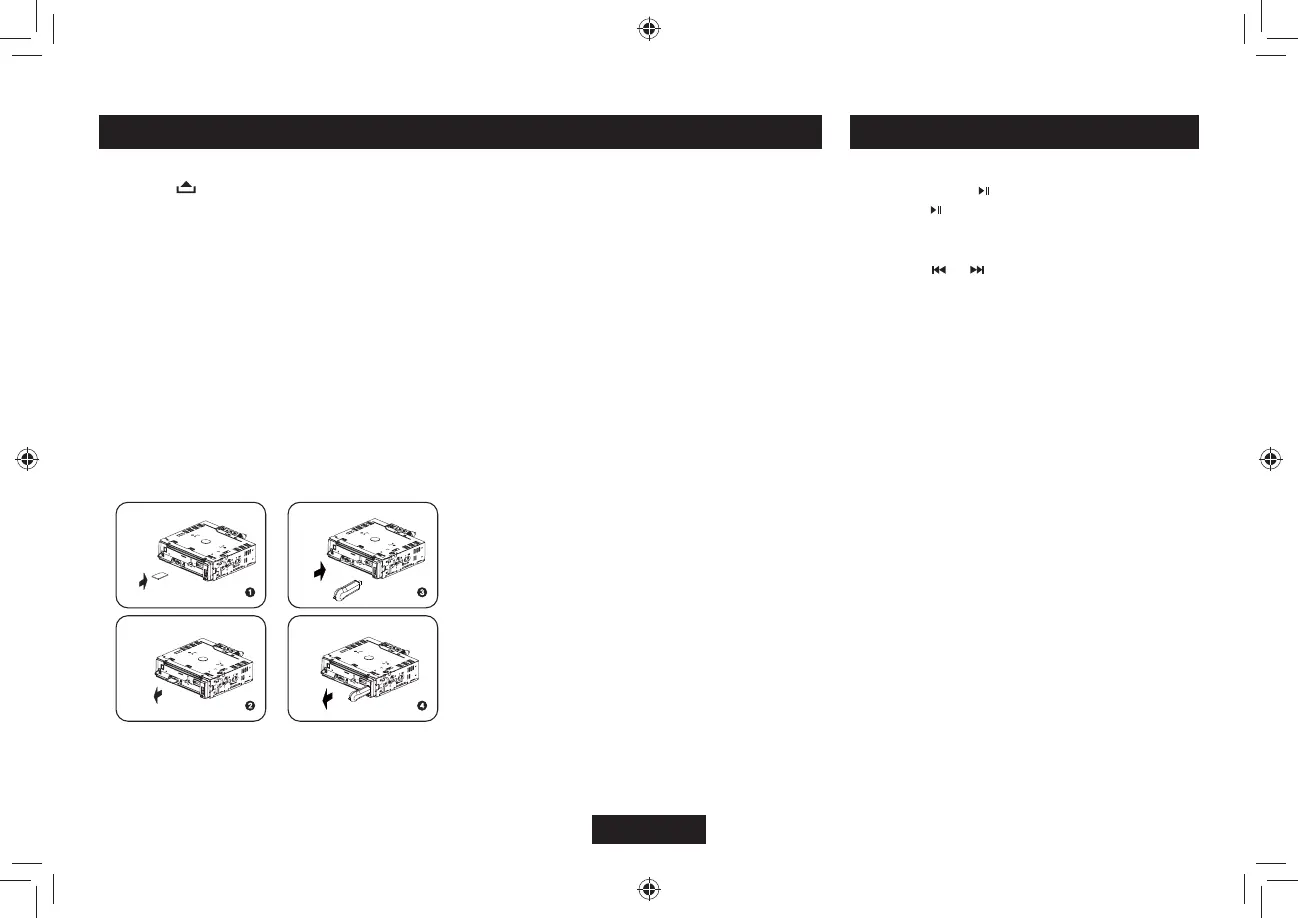
1. Loading SD/MMC card
Press
DWVVQPVQQRGPVJGRCPGNKPUGTV
CP5&//%ECTFKPVQVJGUNQVYKVJVJGHTQPV
side at left. The unit will play the music
automatically.
2. Taking out SD/MMC card
Push SRC button and switch to non CARD
OQFGUNKIJVN[RTGUU5&//%ECTFVCMGQWV
the card after it popped out.
3. Loading USB equipment
1RGPVJGECRKPUGTVVJG75$KPVQVJG
connector and the unit play the music in the
USB storer automatically.
4. Taking out USB equipment
Push the SRC button and switch to non
75$OQFGVJGPVCMGQHHVJG75$UVQTGT
close the rubber cap.
USB/SD/MMC Operation MP3/WMA Playback
USB/SD/MMC Notes
75$HWPEVKQPUƀCUJOGOQT[V[RG/2OWUKE
play
1. SD/MMC card support.
75$HNCUJOGOQT[KP5&//%
support.
3. Fat 12/fat 16/fat 32 is possible.
4. File name : 32 byte/dir name : 32 byte/tag
name : 32 byte
6CI+&VCIXGT
- title/artist/album : 32 byte support.
6. Multi card reader not support.
7. USB 1.1/2.0 support (It can not support
75$URGGF,WUVIGVVJGUCOGURGGF
YKVJ75$
Not all kinds of USB devices are compatible
with the unit.
Pause
Press the pause button to suspend play.
Press the button again to resume play.
— — — — — — — — — — — — — — — — — — ——
Track Select
Press the or for less than one second to
CFXCPEGVQVJGRTGXKQWUPGZVVTCEMQTHQTOQTG
than 2 seconds to fast forward or fast reverse
through the track. Playback begins when the
button is released.
— — — — — — — — — — — — — — — — — — ——
Intro Scan (INT)
Ŗ 2TGUUVJG+06DWVVQPQPEGVQUGNGEVő+06
10ŒCPFRNC[VJGſTUVUGEQPFUQHGCEJ
track.
Ŗ 2TGUU+06CICKPVQUGNGEVő+061((ŒVQVWTP
off intro scan.
— — — — — — — — — — — — — — — — — — ——
Repeat (RPT)
Ŗ 2TGUUVJG426DWVVQPQPEGVQUGNGEVő64-
426ŒCPFTGRGCVGFN[RNC[VJGEWTTGPVſNG
Ŗ 2TGUU426CICKPVQUGNGEVő(1.&426Œ
CPFTGRGCVGFN[RNC[CNNſNGUKPVJGEWTTGPV
folder.
Ŗ 6QVWTPQHHTGRGCVRNC[RTGUUVJG426
button again until “RPT OFF” display.
— — — — — — — — — — — — — — — — — — ——
Random (RDM)
Ŗ 2TGUUVJG4&/DWVVQPQPEGVQUGNGEVő4&/
ON” and randomly play all files on the
source.
Ŗ 7PVKNCNNFKIKVUJCFUGNGEVGFCPFEQPſTOGF
press MENU to play the track.
— — — — — — — — — — — — — — — — — — ——



 To Next Page