5
$&J%,('/7)H++5+0)K.1%3+)
1. Press!the!Menu!key!twice.!
2. Press!the!More!softkey!3!times.!
3. Use!the!!!and!¯!softkeys!until!the!beeper!volume!bar!graph!is!blinking.!
4. Use!¬!and!® softkeys!to!adjust!volume.!
5. Press!the!“OK”!key.!
!
!
-<6/7'/7)#6/7%67+)
1. Press!the!Menu!key!twice.!
2. Press!the!More!softkey!3!times.!
3. Use!the!!!and!¯!softkeys!until!the!language!is!blinking.!
4. Use!¬!and!® softkeys!to!adjust!language.!
5. Press!the!“OK”!key.!
!
!
833+&'6(+)#.*D)
!/767'/7)833+&'6(+)#.*D)
This! feature! is! used! when! Time! Lock! is! enabled! and! the! safe! is! in! an! open! period.! If!
Immediate!Lock!is!selected,!the!safe!is!placed!in!a!one-Time!Lockout!until!the!next!open!
period.!!!
!
1. Login.!
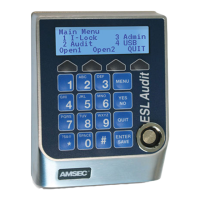
2. Press!the!“1”!(I-Lock)!key!from!the!Main!Menu.!
3. Select!Open1!or!Open2!using!the!softkeys!below!the!left-hand!side!of!the!display.!
4. Enter!the!number!of!hours!that!you!want!the!system!to!remain!locked!out,!up!to!144!
hours.!
5. Press!ENTER.!The!system!will!display!the!time!and!date!when!the!lockout!period!will!
end.!Write!that!down!so!you!remember!it.!
!
!/6:1'/7)833+&'6(+)#.*D)(this!is!an!administrative))
1. Login.!
2. Press!“3”!(Admin).!
3. Press!“3”!(Access).!
4. Press!“1”!(Door!Access).!
5. Press!“3”!(Im!Lock).!
6. Enable!or!disable!the!feature!for!Lock!1!with!the!“YES/NO”!key.!
7. Press!the!“OK”!softkey!to!save!the!change.!
8. If!applicable,!repeat!steps!6!and!7!for!the!second!lock.!
)
G.;/1.6&)6/)$%&'()
1. Login.!
2. Press!the!“2”!(Audit)!key!from!the!Main!Menu.!


 To Next Page