7
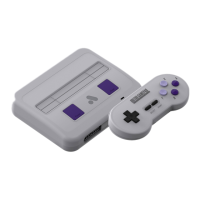
Super Nt Hardware features
Please read this section to understand the physical hardware features on your Super Nt.
Power button/reset button
Your Super Nt can be powered on and o by pressing the Power Button. While your Super Nt is turned on, press
the Power Button to power it o. To reset a game while playing your Super Nt- press the Reset button.
SNES & SFC cartridge slot
Your Super Nt is compatible with original SNES and Super Famicom game cartridges. To play a game cartridge,
simply insert it into your Super Nt’s cartridge slot rmly and select “Run Cartridge” in the system menu.
SNES/SFC style controller ports
Your Super Nt is outtted with custom designed, SNES/SFC style controller ports. This means
your Super Nt is compatible with original SNES/SFC controllers and accessories.
HDMI output
Your Super Nt outputs in HDMI. Plug an HDMI cable into your Super Nt and a TV/Monitor/projector to output video.
Power input
Your Super Nt’s power input is a micro USB input. Only use 5v 2a USB power
supplies or your Super Nt may not function correctly.


 To Next Page