HD Series
12
General
Used to set device language, unit and
time, view device information and restore
factory settings
Table 2: Function main menu
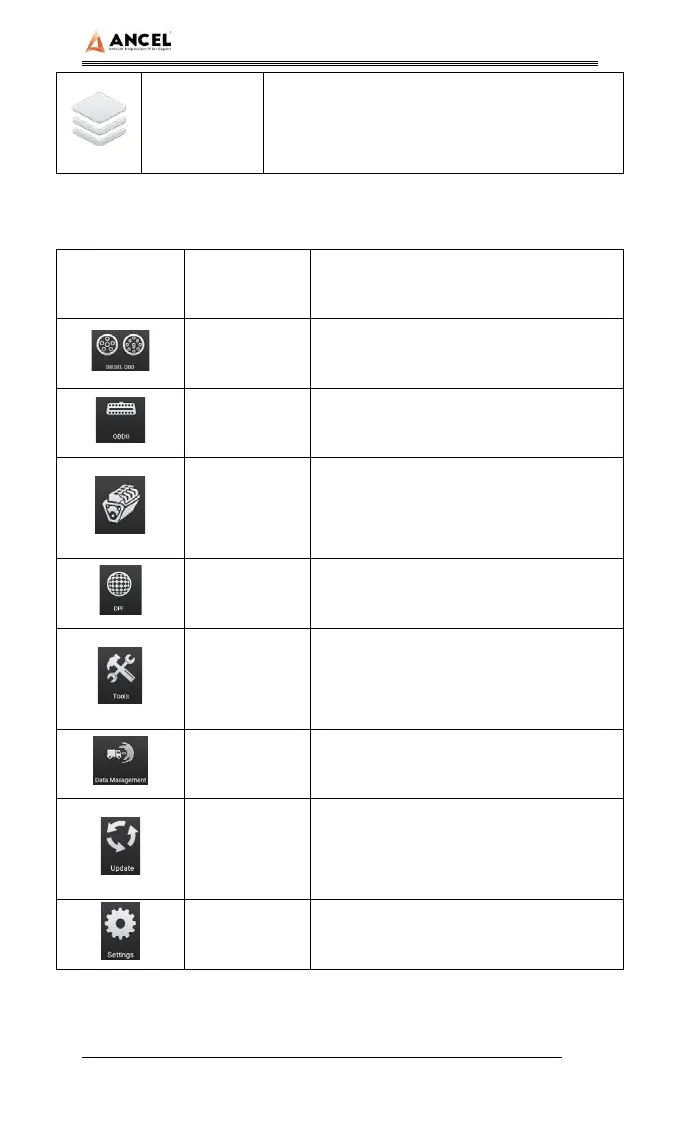
Icon
Function
name
Function description
Diesel OBD
Diagnostic procedure: Diesel OBD,
see section 5 for details
OBD-II
Diagnostic procedure: OBD-II, see
section 5 for details
Engine
diagnosis
The diagnosis menu of each engine
will be slightly different. Please refer
to the model you purchased
DPF DPF regeneration
Tools
(Pin Detect)For the measurement of
pin voltage of diagnostic interface,
see section 6 for details
Data
management
For browsing and managing saved
data files, see section 7 for details
Update
For online upgrade of system
software and vehicle software, see
section 8 for details
Settings
Set and view system information,
see section 9 for details



 To Next Page