HD Series
29
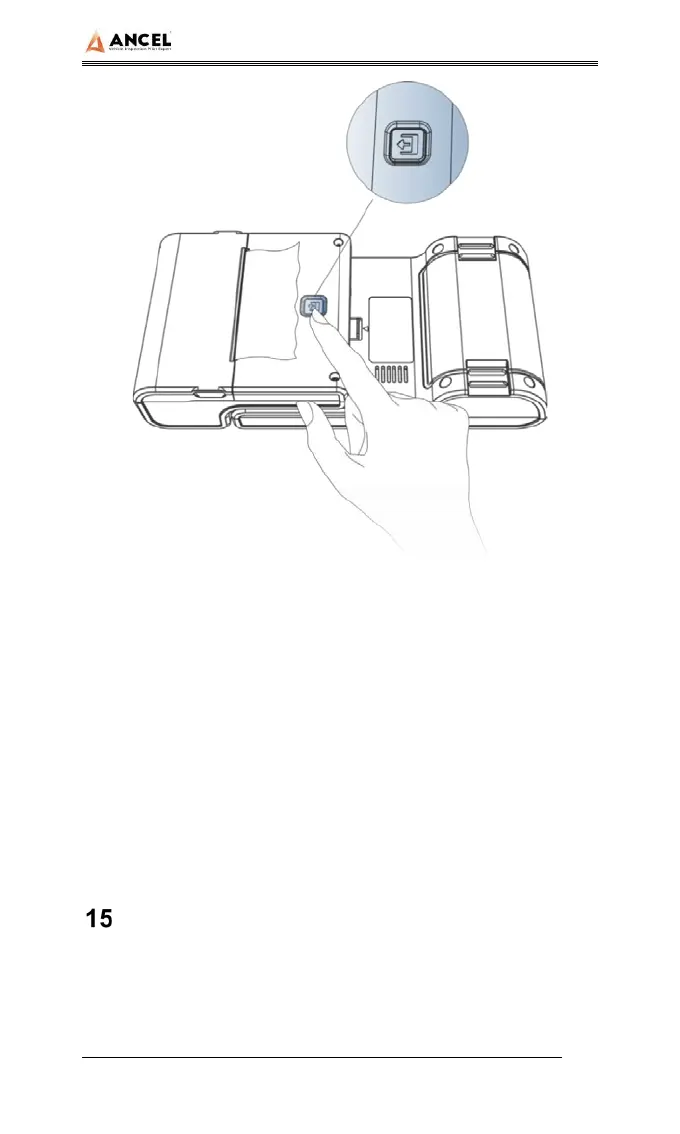
1. When the machine is turned on, press the printer test key
briefly, and the printer will automatically print out a piece of
blank paper.
2. In the case of power on, long press the printer test key for
three seconds, the printer will automatically print a section
of self-test content, indicating that the printer function is
normal.
FAQ(Frequently Asked Questions)
Here are some frequently asked questions and
answers about the HD3400.
Question: I cannot activate and register the tool.



 To Next Page