HD Series
28
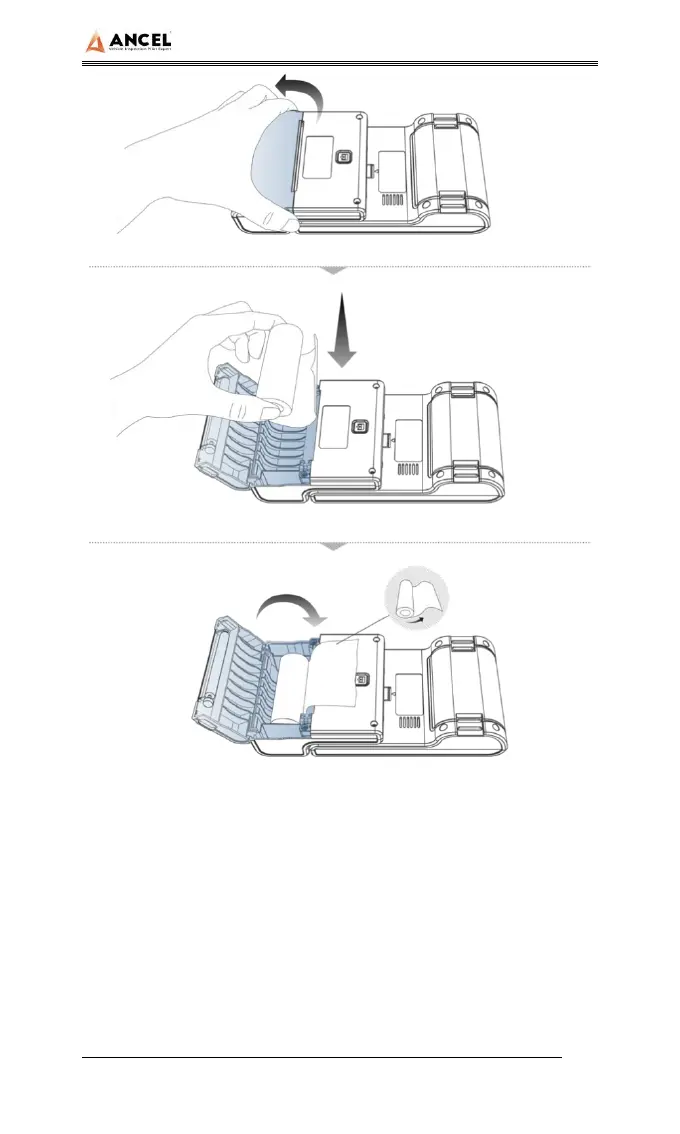
1. Hold the position of the printer paper bin cover with your
fingers and open the cover up;
2. Put the printing paper into the paper bin according to the
diagram. Pay attention to the direction of the paper. If the
installation is reversed, the printing will be blank;
3. Just close the paper bin cover.
3) Printer self-test function



 To Next Page