EasyManua.ls Logo

ANCEL HD3600 - Page 10

ANCEL HD3600
32 pages
Print Icon
To Next Page IconTo Next Page
To Previous Page IconTo Previous Page
Loading...
HD Series
10
Icon
Function
name
Function description
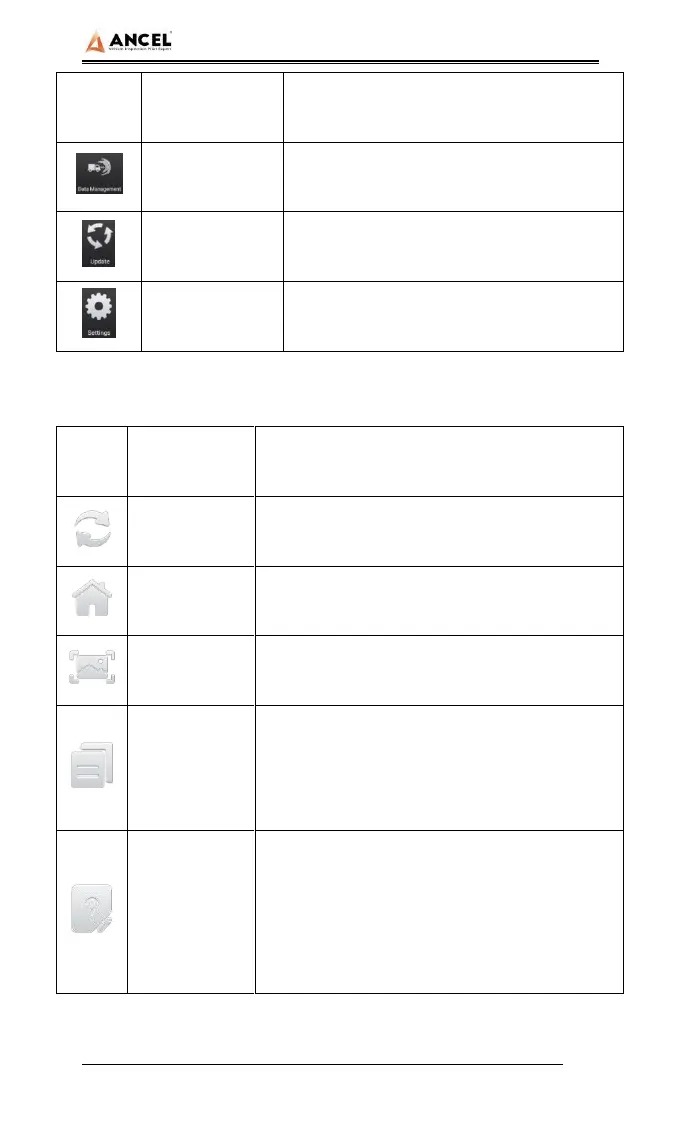
Data
management
For browsing and managing saved data
files
Update
For online upgrade of system software
and vehicle software
Settings
Set and view system information
Table 2: Toolbar
Icon
Function
name
Function description
Refresh
Refresh upgrade menu
Home
Return to the main interface of the system
Screenshot
Capture current screen picture
Test report
Used to save test data during diagnosis
(can be viewed in data management menu)
Feedback
Used to report the problem to the
company's service system (need to
connect to the network) when the system
cannot be accessed during the diagnosis
process

Related product manuals