HD Series
27
1. Hold the printer in your hand, aim at the lead-in slot on the
back of the main unit, push it in slightly, and you will hear a
“click” voice, which means the main unit and the printer
has already connected together.
2. After pressing the separation switch, hold the printer in
your hand and gently pull it out. The printer will be
separated from the host.
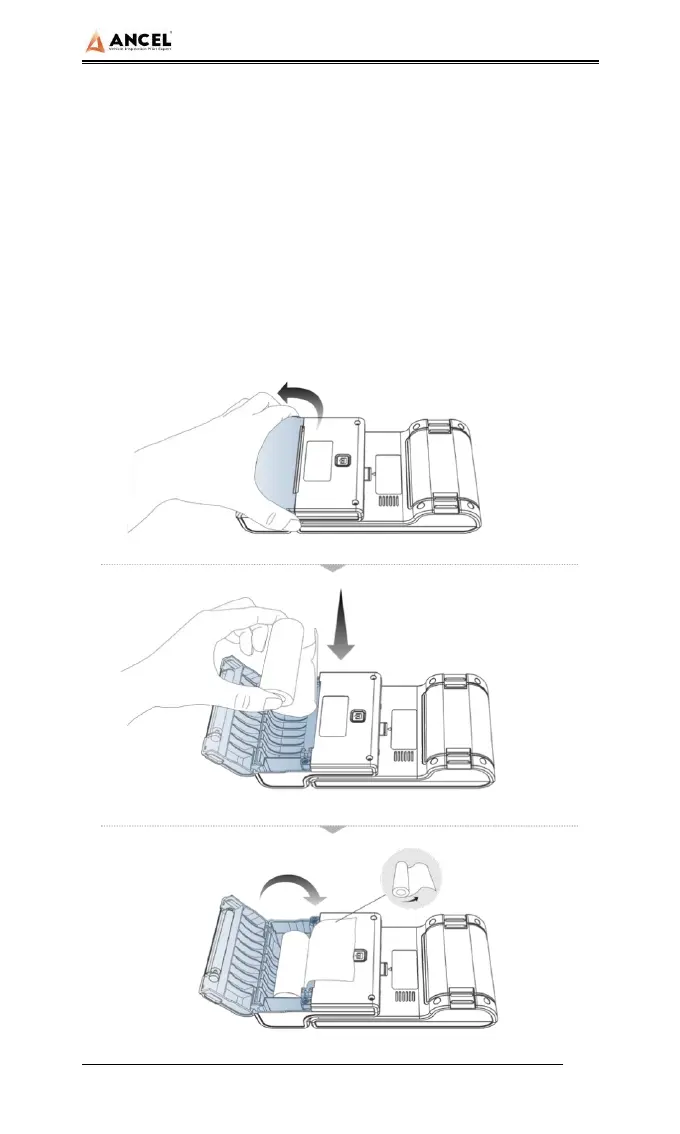
2) Printer loading and changing paper


 To Next Page