EasyManua.ls Logo

Anchor AN-1000X+ - User Manual

Anchor AN-1000X+
14 pages
Print Icon
To Next Page IconTo Next Page
Loading...
1
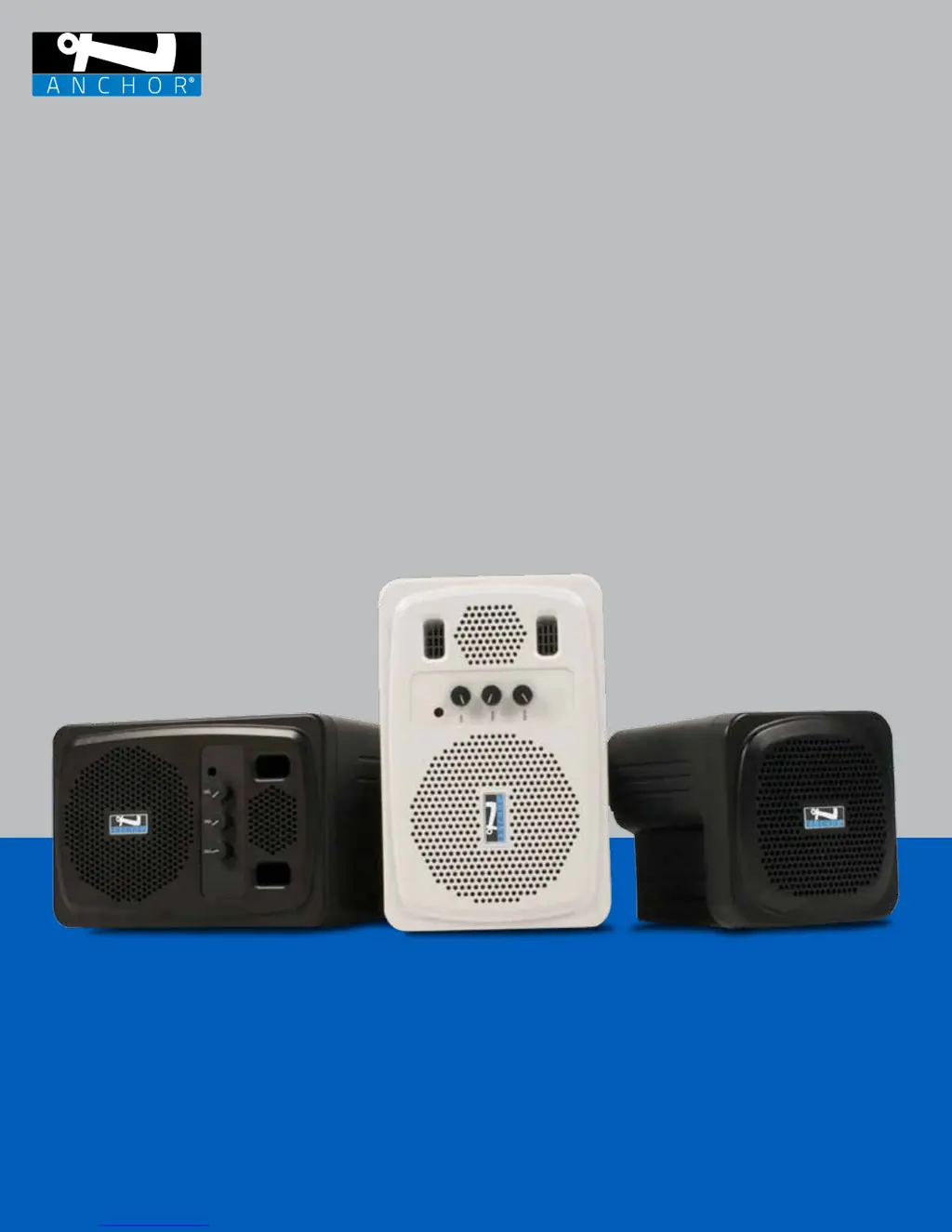
OWNER’S MANUAL
AN-1000X+ | AN-130+ | AN-135+ | AN-30

Other manuals for Anchor AN-1000X+

Questions and Answers

  • L
    Lisa MontgomeryJul 31, 2025
    How to fix distorted sound on Anchor AN-1000X+?
    • K
      katelyn99Jul 31, 2025
      If your Anchor Speakers are producing distorted sound, try the following: * Check the battery level and charge if necessary, or plug in the AC cord. * Lower the system volume. * Lower the source audio volume. * If using a wireless belt pack, ensure the Mic and/or Line Level setting is correct.
  • M
    michael99Aug 5, 2025
    What to do if Anchor AN-1000X+ Speakers have no sound but the power LED is on?
    • C
      Christopher RamseyAug 5, 2025
      If you're not getting any sound from your Anchor Speakers and the power LED is on, here are a few things to check: * Make sure your source audio is playing and the volume is turned up. * Ensure all cables are completely plugged in. * Increase the volume control on the speakers.
  • J
    Justin ClaytonAug 9, 2025
    How to stop excessive feedback from Anchor AN-1000X+?
    • M
      Matthew RobertsAug 9, 2025
      If your Anchor Speakers have excessive feedback (squelching), try these solutions: * Lower the volume on the microphone (handheld or belt pack). * Avoid standing within at least 10 feet in front of the speaker with the mic(s).
  • J
    John GambleAug 13, 2025
    Why do Anchor AN-1000X+ Speakers have no sound when the power LED is off?
    • J
      Janet HoustonAug 13, 2025
      If your Anchor Speakers have no sound and the power LED is off: * Turn the POWER knob clockwise to turn the system ON. * Check the battery level, charge the battery, or plug in the AC cord.
  • L
    Laurie SilvaAug 17, 2025
    What to do if connected wireless mic to Anchor Speakers has no sound (Solid Green LED)?
    • J
      Justin GarrettAug 18, 2025
      Here's what to do if your connected wireless mic has no sound but the LED is solid green: * Check the Mute button on the microphone or belt pack to ensure it is not activated. * Increase the volume on both the microphone and the Anchor Speakers system. * Check the battery level of both the microphone and the system.
  • G
    Gary ColeAug 22, 2025
    Why is the wireless range poor on my Anchor AN-1000X+?
    • A
      April HinesAug 22, 2025
      If you are experiencing poor wireless range or audio quality with your Anchor Speakers, consider the following: * Check the battery level of both the microphone and the system. * Re-position the system away from potential sources of interference. * Minimize obstructions between the system and the wireless microphone.
  • M
    Maria Watson MDAug 26, 2025
    How to eliminate excessive hum or noise from Anchor Speakers?
    • B
      Brett RobinsonAug 26, 2025
      To address excessive hum or noise with your Anchor Speakers: * Use shielded cables. * Use a balanced microphone.

Summary

Message from Anchor Audio

Getting Started

Checks for shipping damage to product and packaging. Notify carrier immediately.

Returning Systems for Service or Repair

Instructions for returning units for service or repair, including contact info and RMA process.

AN-1000 X+ Basic System Operation

Balanced Input Jack & DIP Switch Configuration

Explains the balanced XLR input and DIP switch configuration for microphone or line-level inputs.

AN-130+ Basic System Operation

AN-135+ Basic System Operation

AN-30 Basic System Operation

Operating the AnchorLink Wireless Microphone;Transmitter

Pairing Wireless Microphones

Step-by-step instructions for pairing AnchorLink wireless microphones with the receiver.

Unpairing Wireless Microphones

Procedure to unpair wireless microphones from the AnchorLink receiver.

Wireless Remote Control Operation

Connecting Multiple Speaker Monitors

Mounting the Speaker Monitors

Technical Specifications

Troubleshooting

Important Safety Instructions

Safety Precautions and Usage Guidelines

Detailed safety precautions covering cleaning, attachments, water exposure, object entry, servicing, and power sources.

Anchor Audio Warranty

Return Authorization Procedures

Anchor AN-1000X+ Specifications

Power IconPower
rated power output50 watts continuous @ 4W
AC power requirements110 – 125Vac, 50/60 Hz, 90W
export model AC power requirements208 – 240Vac, 50/60 Hz, 90W
Audio IconAudio
max SPL @ rated power107 dB @ 1 meter
frequency response65 Hz – 20 kHz ± 3 dB
speaker type4.5” woofer with shielded magnet
tweeter type10mm dome tweeter
Tone Controls IconTone Controls
bass control range+8 – 12 dB @ 100 Hz
treble control range+10 – 12 dB @ 10 kHz
Weight and Dimensions IconWeight and Dimensions
height5.25 inches
width8.4 inches
depth9 inches
dimensions13 x 21 x 23 cm
weight9.5 lbs, 4.3 kg

Related product manuals