
 Need help?
Do you have a question about the Anchor DigiPure AF-9000 Series and is the answer not in the manual?
Install 2 AAA batteries by removing the protective sticker and sliding off the battery cover.
Remove existing aerator and connect the diverter valve based on faucet thread type (outside or inside).
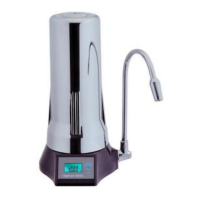
LCD shows remaining filter capacity and turns off automatically after 3 seconds of inactivity.
LCD blinks '0' and sounds an alert when the filter cartridge needs replacement.
Audible sound and blinking battery symbol indicate low power; replace batteries promptly.
LCD automatically saves the last displayed capacity when turned off to save battery.
Press 'Reset' to set capacity to default. Use 'Display' + 'Reset' for non-zero capacity reset.
Register online for timely filter replacement reminders and quick support.
Contact Anchor USA via web page or email for assistance; expect response within 24 hours.
 General
| Category | Water Filtration Systems |
|---|---|
| Filtration Technology | Reverse Osmosis (RO) |
| Storage Tank Capacity | 3.2 Gallons |
| Daily Production Capacity | 75 Gallons Per Day (GPD) |
| Installation Type | Under Sink |
| Warranty | 1 Year Limited Warranty |
| Model | AF-9000 Series |
| Stages of Filtration | 5 |
| Filter Life | 6-12 months (depending on usage) |

 To Next Page