8) BALL SUPPLY SWITCH ERROR [E.72]
▶SOLUTION
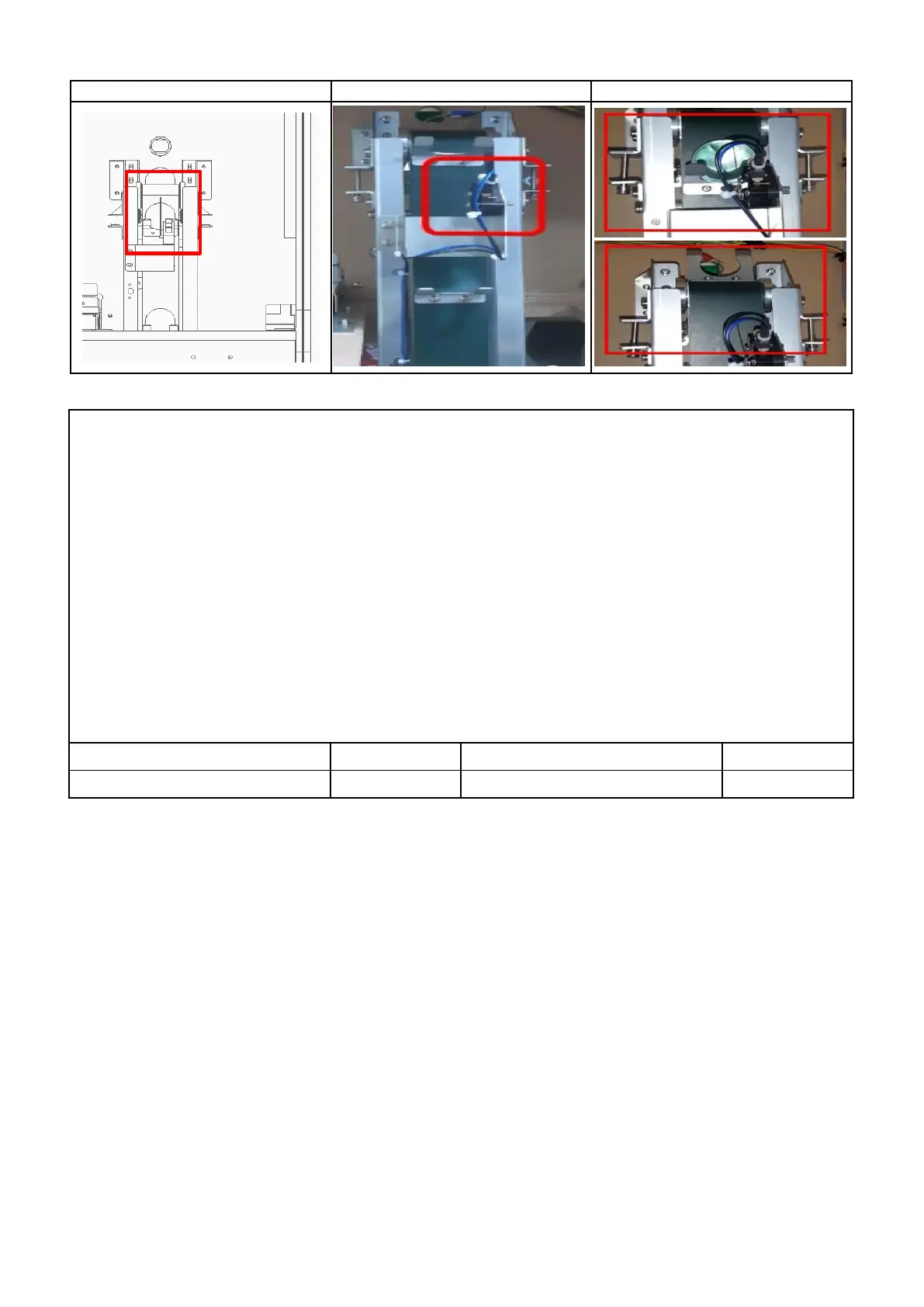
1 HOW TO TEST :TEST MODE → BALL SUPPLY TEST →SELECT button→ SHOOTING button
:Sensor operation status : Detected Sensor : " 0 " / Non-Detected sensor : " _ "
2 Check connection of switch connector and pin connector ( P1 ), SWITCH external status check ( P1 )
3 When SWITCH is recognized, it checks whether it was pressed normally,
and returns to its original state if not recognized. ( P 2 )
4 Check the dc voltage ( SWITCH )
: NO PIN : over 4.5V ( ball is not mounting ) / Below 0.5V ( ball is mounting ) , COM PIN : GND
5 Replace SWITCH PCB
6


 To Next Page