EasyManua.ls Logo

Andamiro AVENGERS - Troubleshooting and Error Solutions; Ball In Sensor Error Troubleshooting

Andamiro AVENGERS
63 pages
Print Icon
To Next Page IconTo Next Page
To Previous Page IconTo Previous Page
Loading...
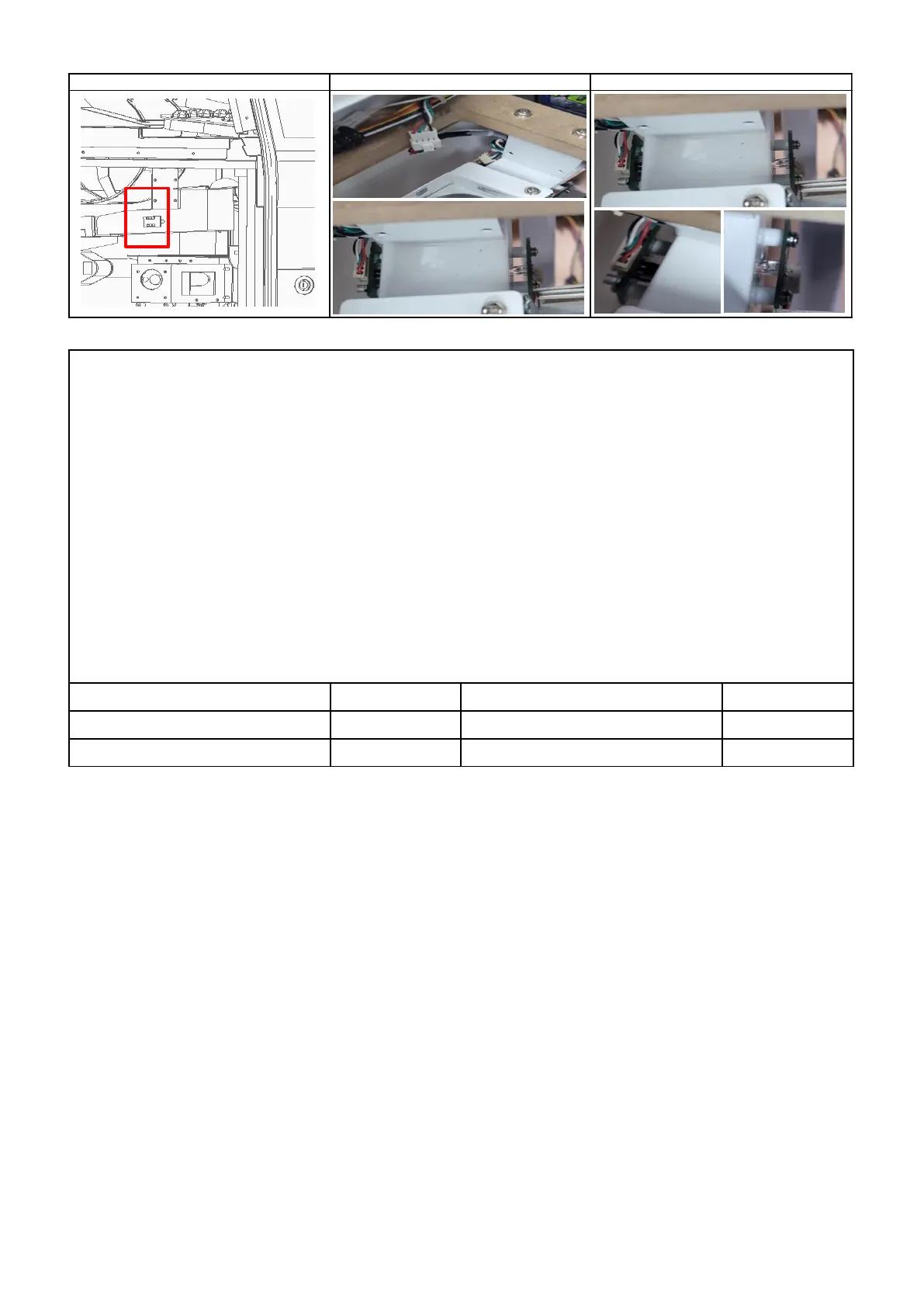
9) BALL IN SENSOR ERROR [E.73]
▶SOLUTION
1 HOW TO TEST :TEST MODE → BALL IN TEST
Insert the ball into the inlet and check the sensor operation status at the 4th digit of TICKET FND
( Increases sequentially according to the number of inputs )
Detected sensor : increase in number , non-detected sensor : No change in number
2 Check connection of sensor connector ( CHECK 1 )
3 Check assembly status of sensor ( CHECK 2 )
4 Check the dc voltage ( SENSOR PCB ) : PIN 1 : over 4.5V , PIN 2 : below 0.5V , PIN 4 : GND ,

PIN 3 : Detected Sensor over 4.5V / Non-detected sensor below 0.5V
5 Replace SENSOR PCB
6
Check the dc voltage ( MAIN PCB / CN16 )
: PIN 9 : over 4.5V , PIN 10 : Below 0.5V , PIN 12 : GND
7 Replace MAIN PCB
SENSOR_T PCB ASS'Y
AAV20PCB011
MAIN PCB ASS'Y
AAV10PCB002
PART NAME
CODE
PART NAME
CODE
SENSOR_R PCB ASS'Y
MEIF0PAR014
ERROR OR LOCATION
P1
P2
- 24 -

Related product manuals