3736
FAQ and Solutions
◇ There is no sound or the visual.
1. Check the switch below the right side of MAIN CABINET.
2. Check the lighting of LED pushing the play button of CD-ROM in main box.
3. In case LED does not turn on, the CD-ROM has to be replaced because the
problem comes from the CD-ROM.
4. In case LED turns on well, the main box has to be replaced because the problem
comes from the main box.
◇ Visual comes out but no sound.
1. Check the AMP volume switch of left COIN DOOR in front of MAIN CABINET.
2. Measure AMP power terminal with the testor. (AMP box has to be replaced
if you do not measure at least 15V)
◇ Billboard light is on, but nothing else is on work.
1. The MAIN BOX is condemned.
2. Check the lighting of LED pushing the play button of CD-ROM in main box.
3. In case LED does not turn on, the CD-ROM has to be replaced because the
problem comes from the CD-ROM.
4. In case LED turns on well, the main box has to be replaced because the problem
comes from the main box.
◇ Coin accepter does not work.
1. Check the voltage of coin terminal. (Normally 12V)
2. Check the electric connection if you do not measure at least 12V.
3. If you measure 12V, the coin sensor has to be replaced.
◇ The visual freezes.
1. Check the operating of fan in the main box because it may be overheated.
2. Clean the CD-ROM in the main box.
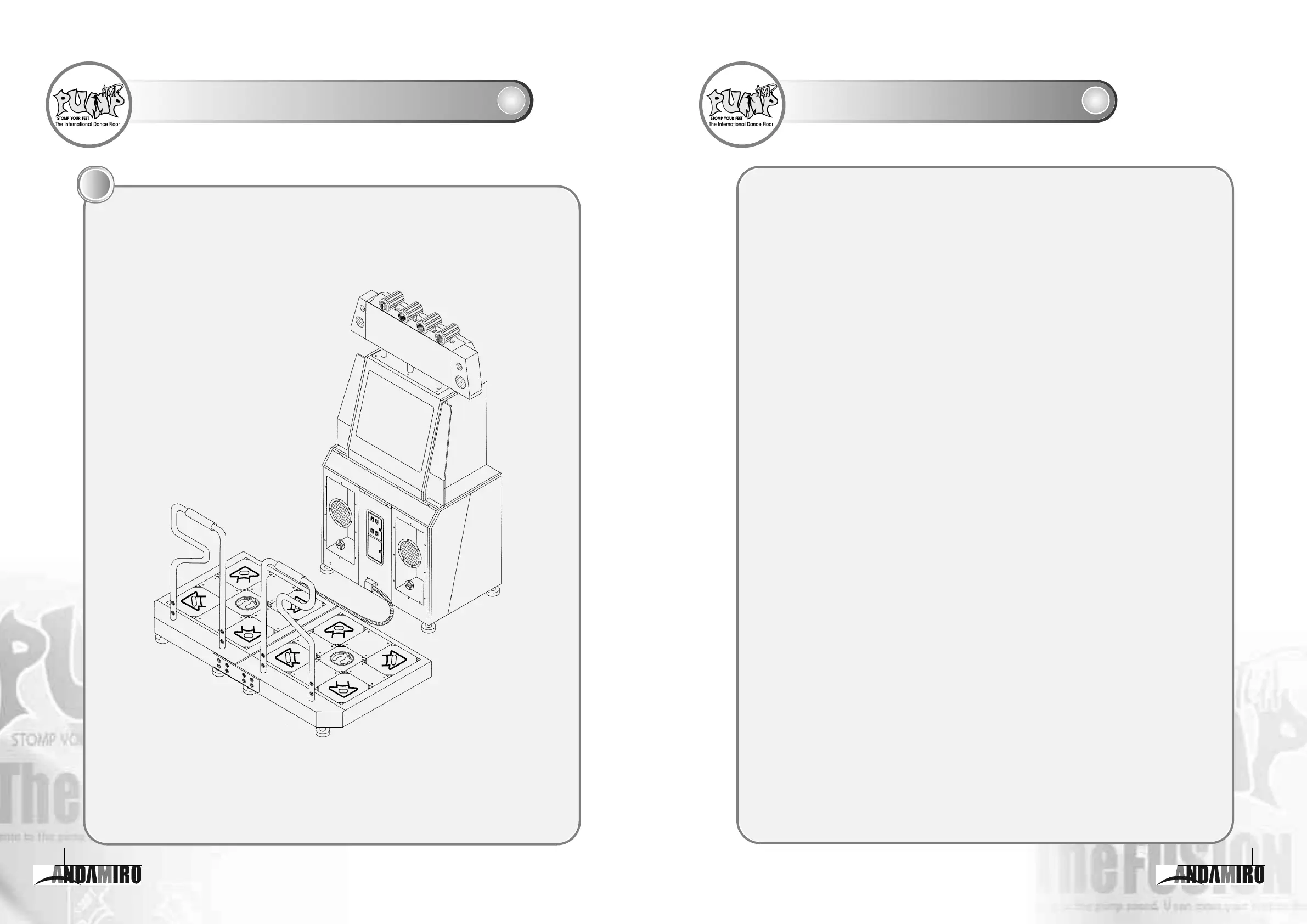
Outward Shape of PUMP IT UP
10



 To Next Page