12
Æ Android User Interface
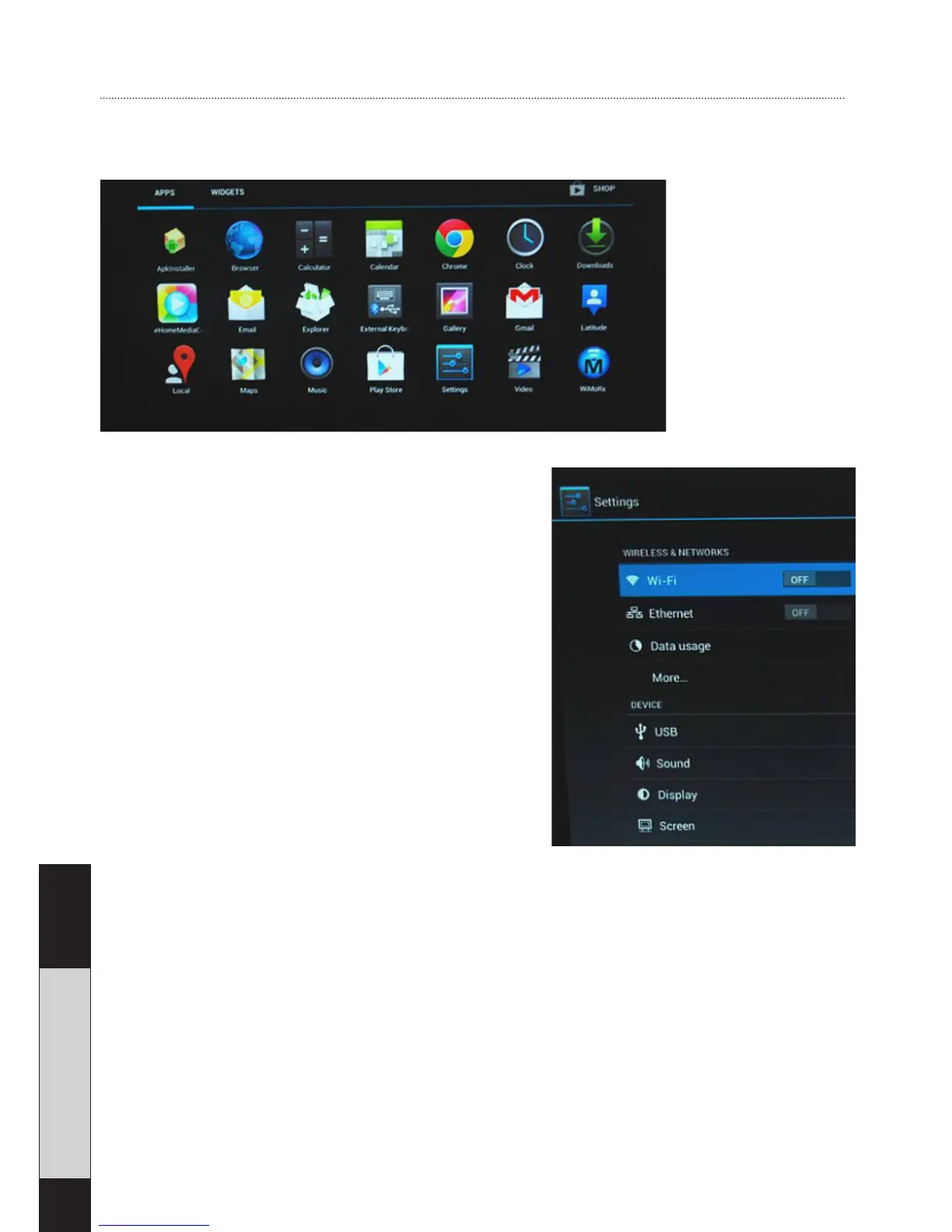
Application page:
Settings
Wi-fi Settings: ON/OFF.
Click on ON/OFF to switch ON or
OFF. When switched on, available
networks will be listed. Press a de-
sired network to connect, and type
the password if required.
USB to RJ45 LAN adapter:
If there is no wireless network avail-
able you can connect to the internet
via cable. A USB2.0 LAN adapter is required (not included). Plug
it in the USB Host or OTG port. Connect RJ45 LAN cable, click
“Settings” -> “more” -> “Ethernet” -> tick “Use Ethernet”.
Language & input
In this menu you can select language and usual input
method. The device includes 54 different languages. Click
“Settings” -> “Language & input”.


 To Next Page