8
Instructions for Remote
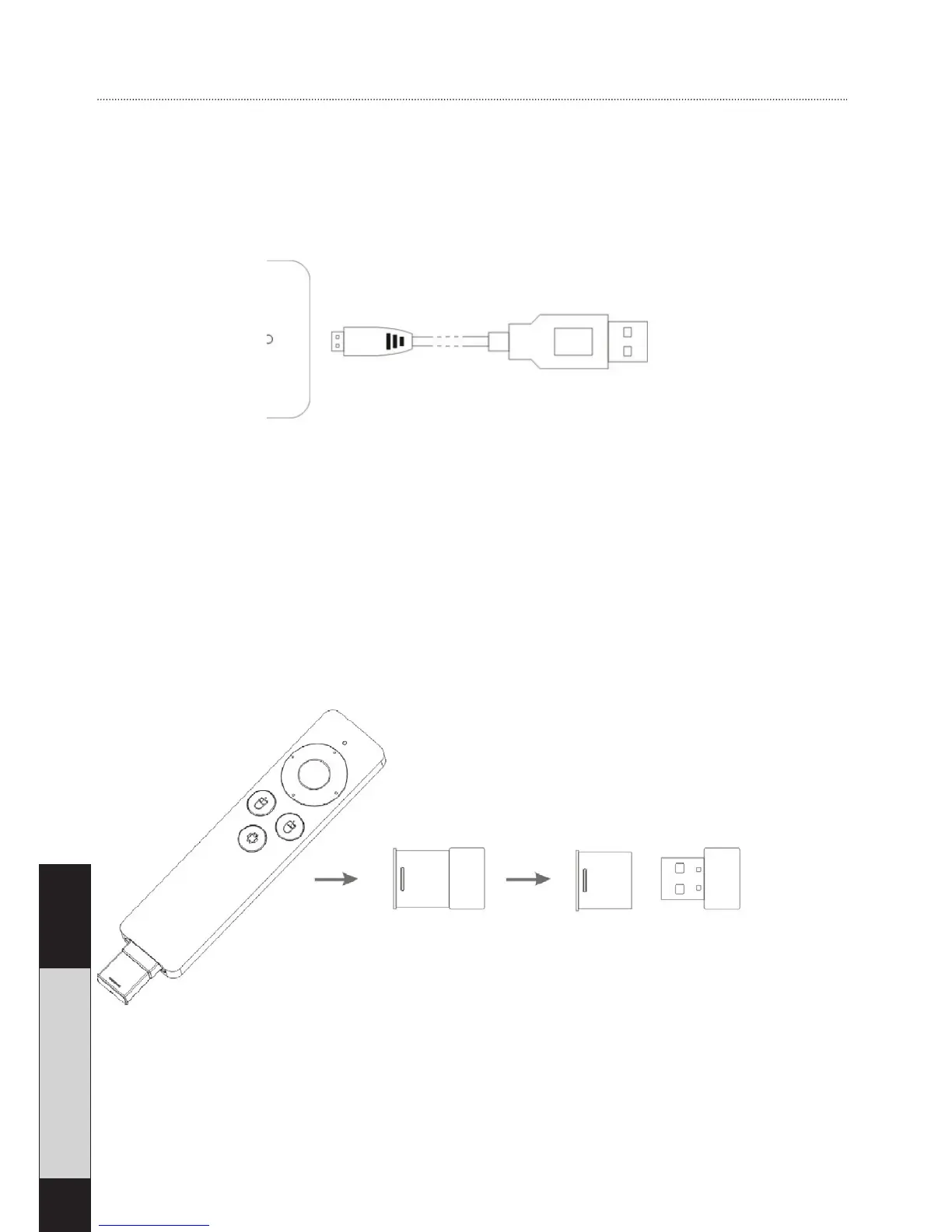
Charging
The built-in lithium battery can be charged by using the USB
cable to power from PC usb port or other USB power adapter.
Connecting the remote control
Take out the USB receiver from the bottom of the remote.
Plug the USB receiver into the USB port of the Android stick
(or optionally, any other smart device you wish to control).


 To Next Page