8
Preparation
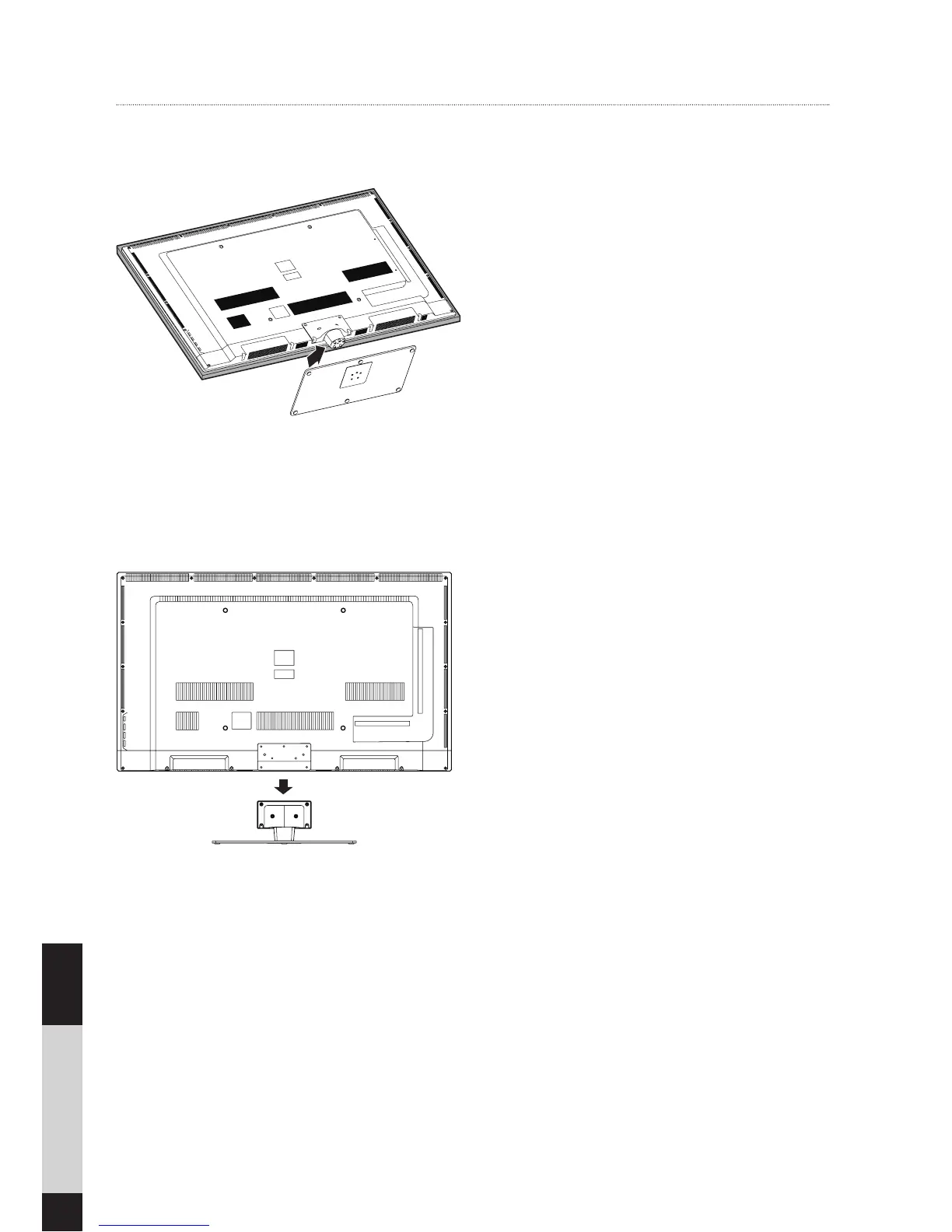
1. Lay the TV facedown on a flat, cushioned
surface to avoid damage or scratching.
2. Fix the stand assembly to the TV using the
5 provided screws.
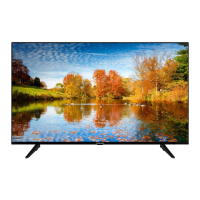
1. Lay the TV facedown on a flat, cushioned
surface to avoid damaging or scratching.
2.
Untighten the 6 screws holding the stand
assembly and remove it.
3.
Attach the wall-mount bracket to the TV
using the mounting holes on the back of
the TV. Mount this TV according to the
instructions included in the wall-mount
bracket.
Removing the Stand for Wall-Mounting
Installing the Stand


 To Next Page