Page 9
Using Spinbase
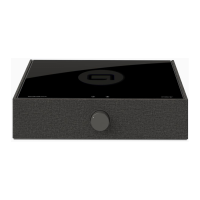
To turn on Spinbase, rotate the central control knob clockwise past the click. The
LED pointer on the knob will illuminate to indicate power is on.
All inputs on Spinbase are always active. It is not necessary to switch between
inputs. Simply start using the source you want to hear, and turn off the source
Connecting Bluetooth Devices
Spinbase is easy to connect. No passwords or codes are required.
• Turn Spinbase power on.
• Enter the Bluetooth menu on your phone or other device.
• Select Spinbase.
• Once the device indicates it’s “connected”, you are ready to play.
-
nect” or “forget” the original device. This must be done from the original device.
Bass & Treble Controls
Bass and Treble controls are located on the back panel and may boost or cut
their respective frequency ranges. The normal position with unaltered response
is indicated by the detent you feel when the controls are centered.
Specications
Description: Integrated Powered Loudspeaker system with Phono Preamp and Bluetooth
receiver.
Music Power: 36W total (2 x 18W)
Acoustic Frequency range: 65Hz – 20kHz +/- 3dB (under laboratory conditions)
Phono input impedance: 47k / 100pF
Line Input impedance: 20k Ohm
Headphone / Line Output: 105mW @ 16 Ohms. Frequency Response: 20Hz–20kHz
Weight: 5 kg / 11 lbs
Dimensions: Height: 82.55 mm / 3.25”
Width: 446mm / 18”
Depth: 356mm / 13.5”


 To Next Page