EN
10
2.
Prepare the Remote Control
The remote control comes with two coin batteries.
①
For rst-time use, remove the batteries insulation tab to activate the
remote control batteries.
②
To replace the batteries, slide open the battery compartment, insert
new batteries (matching the polarity (+/-) indicated), and close the
battery compartment.
3.
Get Started
①
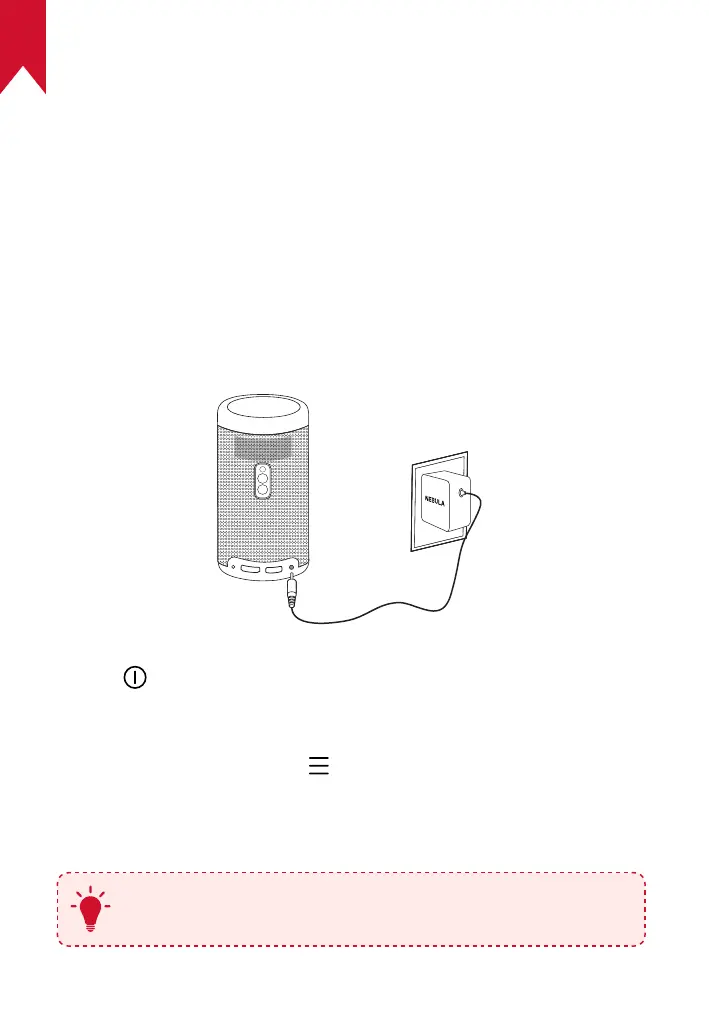
For rst-time use, fully charge the built-in battery using the provided
adapter.
②
Hold on the projector for 2 to 3 seconds to turn it on.
③
Turn the device towards a suitable projection surface or wall.
④
To focus the image, slightly move the projector to engage autofocus.
Or you can press and hold for 3 seconds to manually adjust the
focus.
⑤
For rst time use, follow the on-screen instructions to complete the
basic set-up.
T
To give your Nebula Capsule Max the fastest, safest charge,
only use the provided adapter.



 To Next Page