EN
05
2.
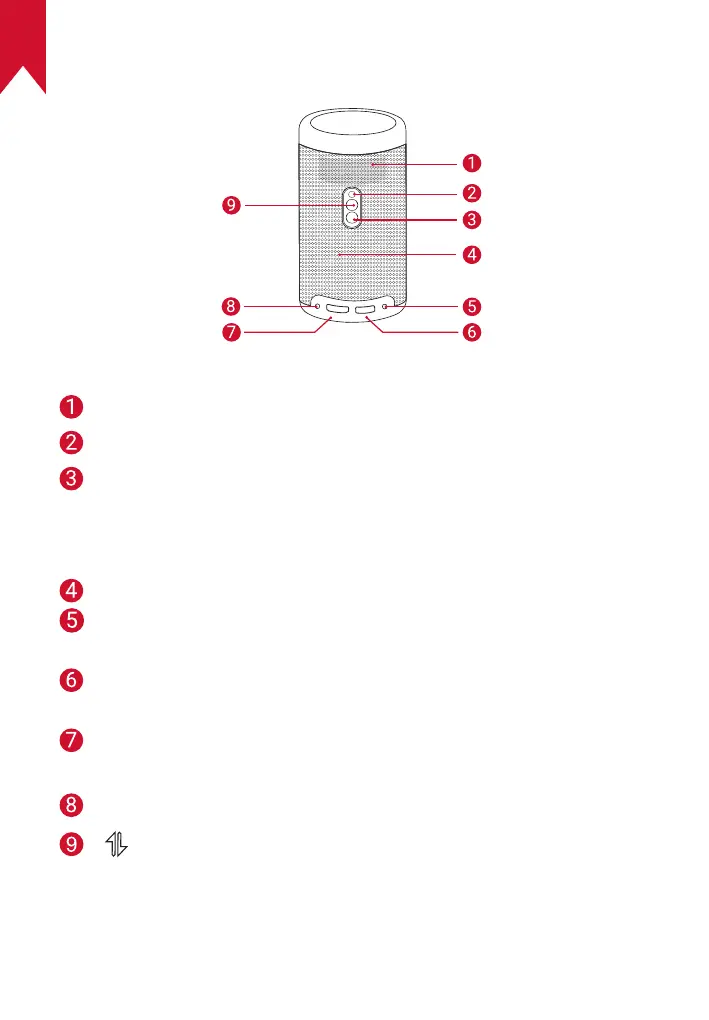
Rear View
Air ventilation (outlet)
Infrared receiver
Power button
• Press and hold for 2 seconds to power on / off
• Press to wake up the projector / enter the standby mode in
projector mode
Speaker
DC-IN
• Connect to power supply (with supplied adapter)
USB port
• Connect to a USB flash drive
HDMI port
• Connect to a playback device via HDMI output
AUX-out socket
• Press to switch between Bluetooth speaker mode and
projector mode
• Bluetooth speaker power on / off



 To Next Page