20 21
Controls
Steuerung | 操作方法 | Contrôles | Comandi | Controles |
乼⡲倰岁 | ʼnŗőŘőřŞŧ şśŜŌŎŗőřŔū | مﻛﺣﺗﻟا تاودأ
English
1
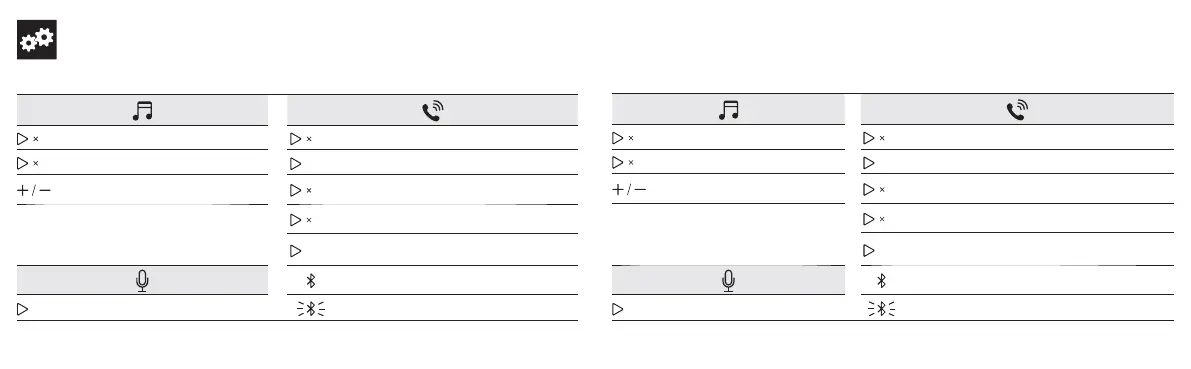
Play / pause
1
Answer / end call
2
Skip forward
> 2S
Reject call
Volume up / down
2
Put current call on hold and answer incoming call
When there is an incoming call while playing
music, music automatically pauses to allow you to
answer/reject the call. Once the call is ignored or
ended, the music will resume.
2
Switch between held call and active call
> 2S
Transfer a call between speaker and mobile phone
Steady blue On a call
> 2S
Activate Siri / other voice control software
Flashing blue Incoming call
Deutsch
1
Play / Pause
1
Anruf annehmen / beenden
2
Nächster Titel
> 2S
Anruf ablehnen
Lautstärke hoch / runter
2
Aktuellen Anruf halten und ankommenden Anruf annehmen
Wenn ein Anruf während der Wiedergabe von
Musik eingeht pausiert die Musik automatisch,
damit Sie den Anruf beantworten / beenden
können. Sobald der Anruf ignoriert oder beendet
wurde, beginnt die Musikwiedergabe erneut.
2
Zwischen gehaltenem und aktivem Anruf wechseln
> 2S
Den Anruf vom Lautsprecher auf das Handy umleiten
Durchgehend blau aktiver Anruf
> 2S
Siri / andere Sprachkontrolle aktivieren
Blau blinkend Eingehender Anruf








 To Next Page