Uninstall
Open the control panel and open the “Add or Remove Programs” window, find
“KM43030545 RGB Gaming Mouse” and click "delete" to complete the uninstall program.
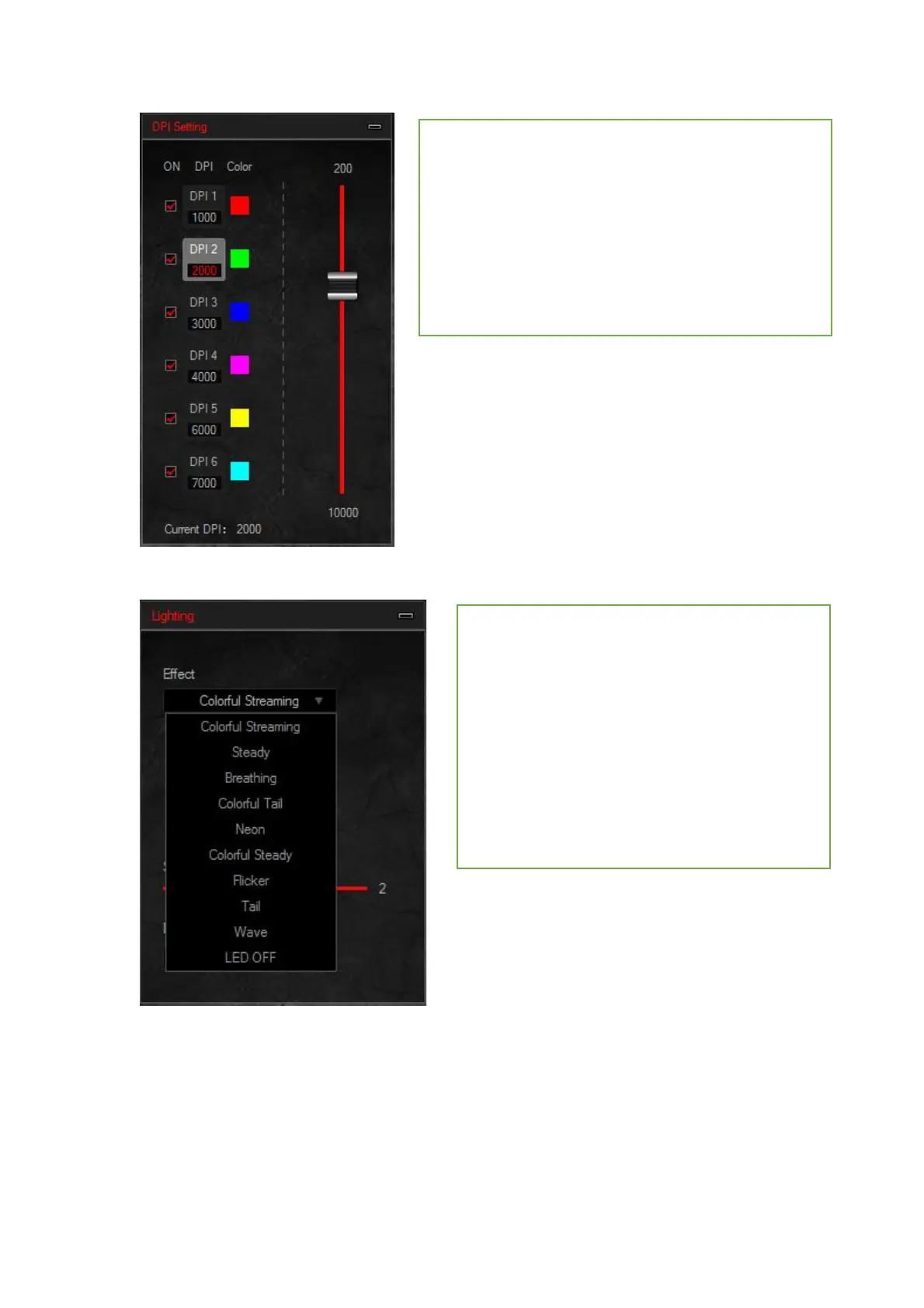
DPI settings
1. Six groups DPI: gear 1 / gear 2 / stalls 3 / stalls 4 /
stalls 5 / stalls 6,check the selections
2. DPI setting:set the 6 groups of DPI value , adjust
within the range of 200 ~ 10000DPI
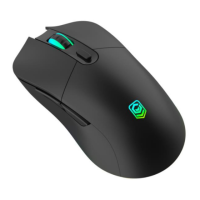
Lighting settings
10 kinds of light effect: Colorful Streaming
mode---Steady mode---Breathing mode--- Colorful
Tail mode---Neon mode--- Colorful Steady
mode--- Flicker mode---Tail mode--- Wave mode---
LED OFF


 To Previous Page