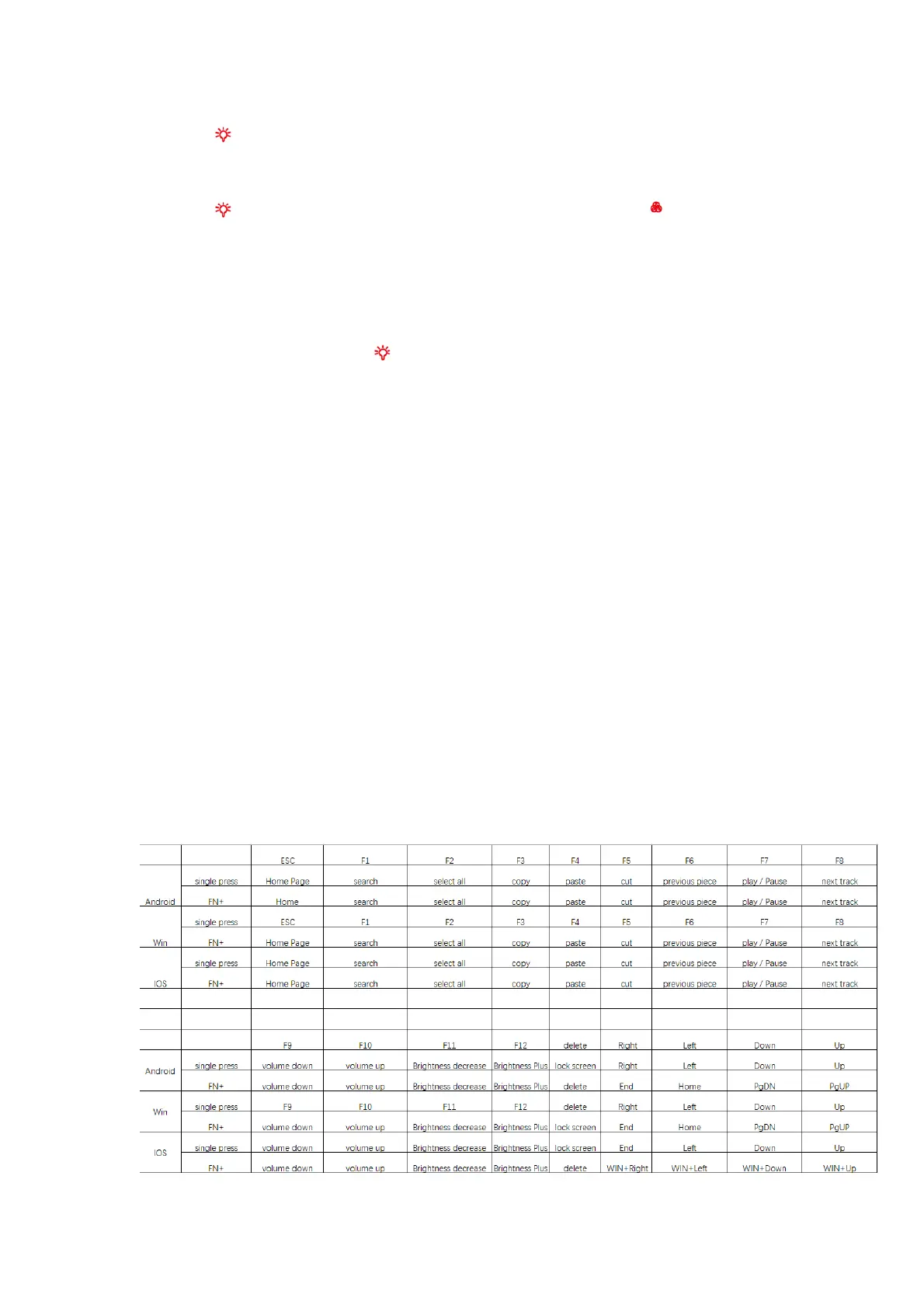
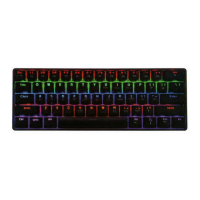
1. Press button, the RGB light will turn on in steady on mode. 2
nd
press, RGB light will
switch to ambient light and 3
rd
press to turn off the RGB light.
2. Press button, the RGB light will turn on in steady on mode. Press button, Single
press this key, can fixed single color. Total seven backlight: white-green-azure-yellow-
blue-purple-red.
3. If the device is not used for 1 minute, RGB light will turn off in saving mode. Just press
any key to reactivate it.
4. In steady on mode, press FN+ , will switch to 30% brightness, 2
nd
press will switch to
60% brightness, 3
rd
press will switch to 100% brightness. Forth press, turn off the light.
Notes: Fixed color only works in steady on mode.
Care and maintenance
Wipe all parts with a dry soft cloth.
Technical Specifications
Working distance: Around 10m
Bluetooth version: 3.0
Build-in 420mAh Rechargeable battery
Charging time up to 3-4 hours (under 5V 1A charging status)
Input: DC 5V / 100mA
Power saving mode: 10 minutes
Keyboard lock function



 To Next Page