Need help?
Do you have a question about the anko 43351213 and is the answer not in the manual?
Follow manual instructions to avoid damage, keep for reference, use for intended purpose, and protect from hazards.
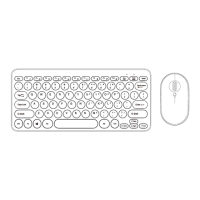
Ultra-thin and portable design for easy carrying and use.
Working distance up to 10 metres for flexible use.
Features comfortable and quiet typing keys for an enhanced experience.
Offers play time up to 60 hours on a single charge.
Compatible with three major systems: Windows, iOS, and Android.
Explains the function of Caps Lock, Bluetooth pairing, low battery, and charging indicators.
Step-by-step guide to connect the keyboard to a tablet or device via Bluetooth.
Details common keyboard shortcuts for various functions across different systems.
Details on how to charge the keyboard and what the indicator lights mean.
Recommendations for prolonging battery life and managing charging.
Guidance on resolving connectivity and power issues with the keyboard.
This document describes the Anko Bluetooth Keyboard, an ultra-thin and portable wireless input device designed for various operating systems.
The Anko Bluetooth Keyboard serves as a wireless input device, connecting to compatible devices via Bluetooth. It features a standard QWERTY layout with additional shortcut keys for enhanced functionality across different operating systems. The keyboard is designed for comfortable and quiet typing, making it suitable for various environments. It supports a working distance of up to 10 meters, offering flexibility in its use. The keyboard is compatible with Windows, iOS, and Android systems, allowing users to switch between them using specific key combinations (Fn + Q for Android, Fn + W for Windows, Fn + E for iOS). This multi-system compatibility makes it a versatile tool for users with different devices such as tablets and smartphones.
The keyboard's connection process is straightforward:
Fn + C to enter code matching mode; the Bluetooth indicator light will start flashing, indicating it's ready for pairing.The keyboard includes several indicator lights:
Shortcut keys provide quick access to various functions:
Fn + E (iOS), Fn + W (Windows), Fn + Q (Android): System switching.Back to Home pageSearchMute KeyVolume-, Volume+Brightness-, Brightness+Open input keyboardScreenshotSelect languagePrevious track, Play/pause, Next trackNote that some shortcut key functions may not be realized under different operating systems.


 To Next Page
 General