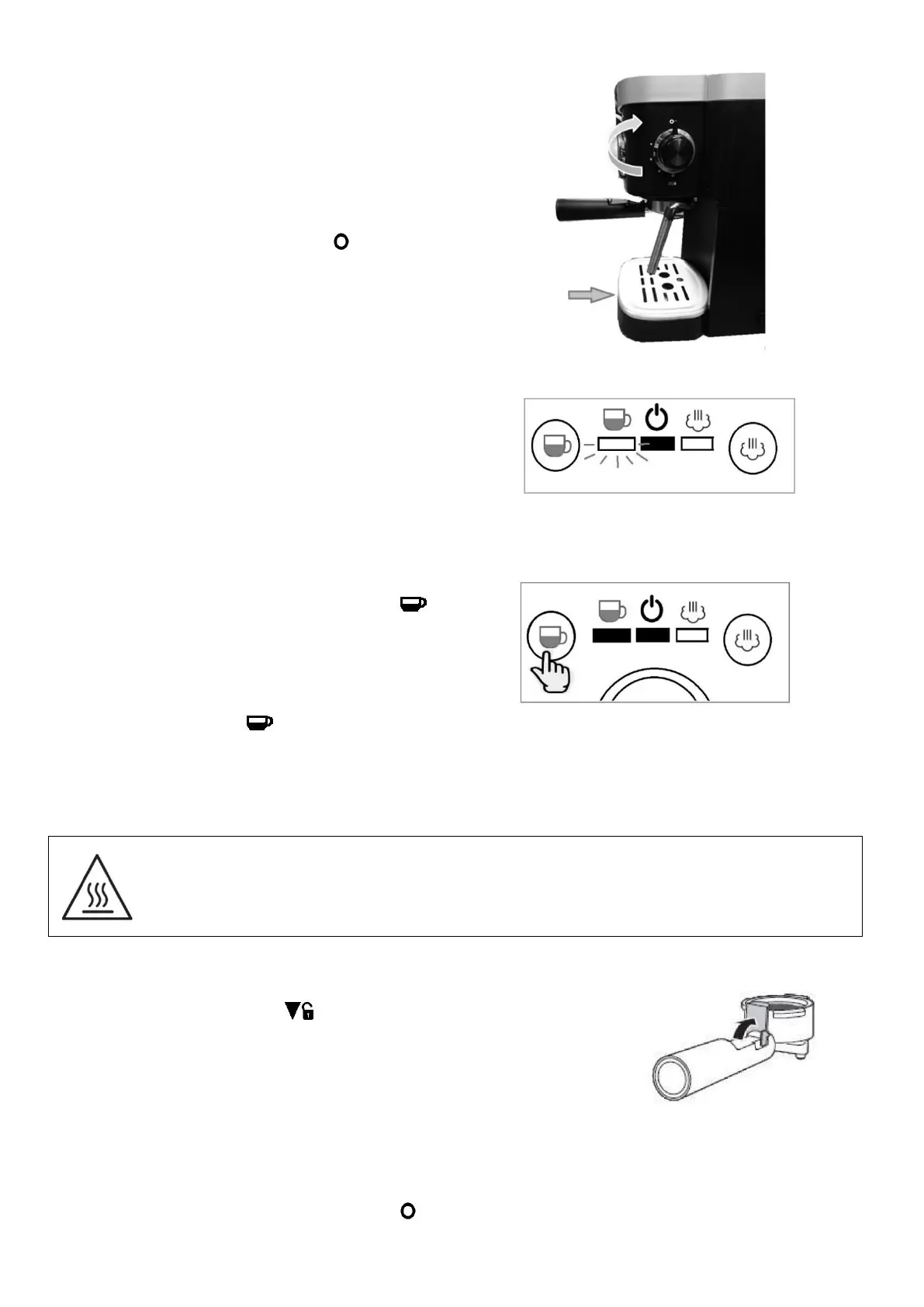
Insert drip tray. Put a coffee cup underneath
the coffee spout of the filter holder.
Note: The appliance is not equipped with a cup.
Please use your own coffee cup
Turn the steam controller to “ ” position to
Insert the plug into a mains power outlet socket.
Press the On/Off switch to “ I ” position to
power on the unit.
The Power indicator will light up RED and
Brewing indicator will flash GREEN. The
appliance is heating up now.
Wait until the Brewing indicator lights up to
Press the Espresso Brewing button “ ” ,
and the espresso will begin to run into the
cup(s).
Before the cup is full, press the Espresso
Brewing button “ ” again to stop the
process.
Risk of burning! Parts of the espresso machine become very hot during operation. Do not
touch hot surfaces, especially the metal parts. Always touch handles or wait until parts have
cooled down.
Risk of scalding! Rising steam can cause burns. Be aware hot water/hot steam that may
escape from the espresso machine during use.
Emptying the brewing filter
1. Remove the filter holder from the machine.
2. Turn the filter holder to “ ” mark position, then pull it
3. Fold the filter blocker up and over the edge to hold the
brewing filter. Refer to figure shown.
4. Hold the handle placing your thumb/finger on the filter
blocker, this will prevent the filter from falling out, and knock
out the espresso powder.
FROTHING MILK
1. Turn the Steam Controller all the way to “ ” position to close the steam nozzle.
2. Use the handle to turn the milk frother out to the side of the machine.


 To Next Page