EasyManua.ls Logo

ANMEATE SM24 - User Manual

ANMEATE SM24
20 pages
Print Icon
To Next Page IconTo Next Page
Loading...
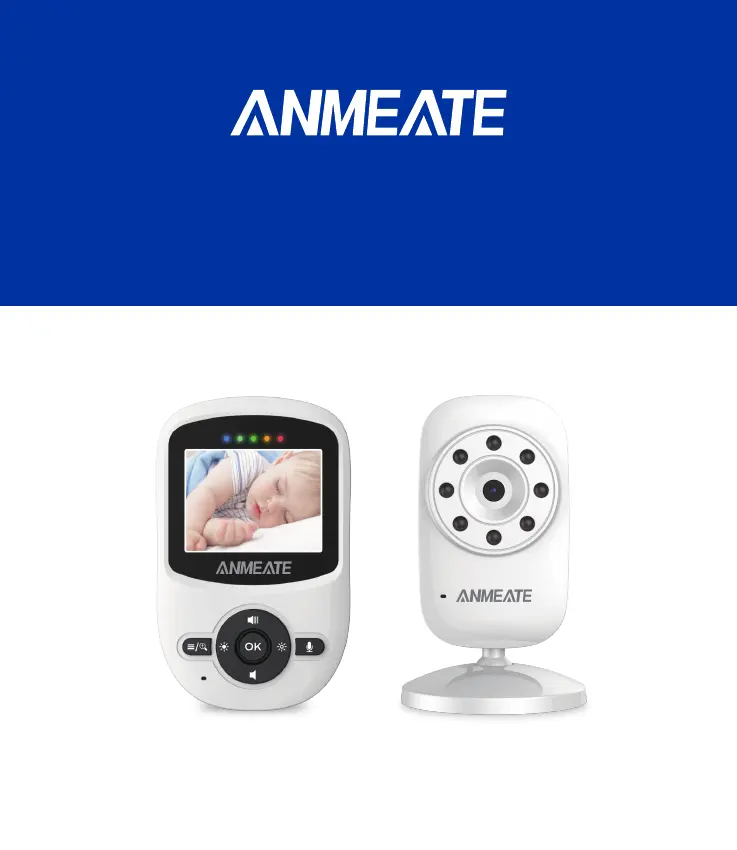
BABY MONITOR SM24
USER MANUAL
CATCH EVERY PRECIOUS MOMENT OF YOUR BABY

Questions and Answers

  • A
    Alejandro AlvaradoAug 7, 2025
    What to do if my ANMEATE SM24 has no reception?
    • J
      Joshua MeadowsAug 7, 2025
      If your ANMEATE Baby Monitor isn't receiving a signal, make sure both the camera and monitor are turned ON. If they are too far apart or not correctly paired, follow the pairing instructions. Try restarting both the Baby unit and the Parent unit. You can also press the reset key on the back of the Parent unit.
  • S
    Susan MontgomeryAug 16, 2025
    Why does my ANMEATE SM24 have interference or poor reception?
    • D
      Daniel JonesAug 16, 2025
      Poor reception on your ANMEATE Baby Monitor can occur if the monitor is too far from the camera or placed near metal objects. Other electronic devices may also interfere with the signal. In this case, move the monitor closer to the camera. Also, try restarting the Baby unit and Parent unit. If the battery power is low, this could cause interference. You can also press the reset key at the back of the Parent unit.
  • P
    Paul SaundersAug 27, 2025
    What to do if ANMEATE SM24 Baby Monitor image is frozen?
    • N
      Nicolas FernandezAug 27, 2025
      If the image on your ANMEATE Baby Monitor is frozen, try restarting the baby unit by unplugging the adapter and plugging it back into the socket. Alternatively, press the reset key on the back of the parent unit.

Summary

Safety Instructions

Warranty Terms

Installation Guidelines

Product Overview

Parent Unit Overview

Details the components and layout of the parent unit, including screen, buttons, and ports.

Baby Unit Overview

Details the components and layout of the baby unit, including camera, sensors, and power connections.

Icons Overview

Explains the meaning of various icons displayed on the parent unit screen for different functions.

Baby Monitor Placement

Using the Baby Monitor

Turn On the Baby Unit

Instructions for powering on the baby unit using the provided AC adapter.

Turn On the Parent Unit

Instructions for powering on the parent unit, including battery charging advice.

OSD Mode Operation

Parent Unit Screen On;Off

How to turn the parent unit's LCD screen on or off using the power key.

Volume Adjustment

Instructions for increasing or decreasing the audio volume using the UP/DOWN keys.

Brightness Adjustment

Instructions for adjusting the screen brightness using the Left/Right keys.

Digital Zoom & Pan;Tilt

How to operate digital zoom, pan, and tilt functions using the menu and navigation keys.

Camera View; Scan

How to switch between paired cameras or scan through them automatically.

Talk to Baby

Instructions on using the two-way talk function by pressing the talk key.

Infrared Night Vision

Explanation of the automatic infrared night vision function for low-light conditions.

Menu Operation

ECO Setting

How to control sound activation and transmission based on ambient noise levels.

Alarm Setting

How to set alarms for reminders like feeding, diaper changes, or sleep.

Lullaby Setting

How to play gentle lullabies from the baby unit to soothe the baby.

Pairing the Camera and Monitor

Step-by-step guide on how to pair the baby unit camera with the parent monitor.

Temperature Unit Setting

How to select the temperature display unit between Celsius (°C) and Fahrenheit (°F).

Technical Data

System General

Provides general technical specifications for the baby monitor system.

Troubleshooting

No reception on the monitor

Solutions for issues where the monitor does not receive a signal from the camera.

Interference or poor reception

Solutions for problems with signal interference or poor reception quality.

Feedback (screeching, static)

Troubleshooting steps for audio feedback like screeching or static.

Cannot hear the baby on the parent unit

Solutions for not being able to hear audio from the baby's room on the parent unit.

Image frozen

Steps to resolve issues where the video image on the parent unit is frozen.

Maintenance

Information on Disposal of Battery and Product

ANMEATE SM24 Specifications

General IconGeneral
BrandANMEATE
ModelSM24
CategoryBaby Monitor
LanguageEnglish

Related product manuals