EasyManua.ls Logo

ANMEATE SM935E - User Manual

ANMEATE SM935E
24 pages
Print Icon
To Next Page IconTo Next Page
Loading...
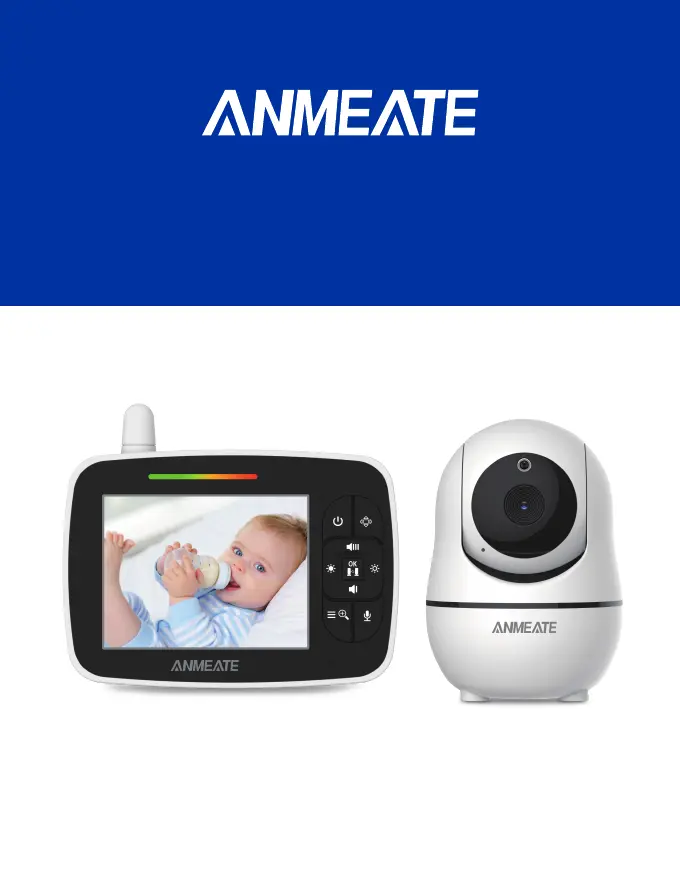
BABY MONITOR SM935E
USER MANUAL
CATCH EVERY PRECIOUS MOMENT OF YOUR BABY
(Digital Wireless Video Baby Monitor With 3.5 inches Color Screen)

Questions and Answers

Summary

SAFETY INSTRUCTIONS

General Safety Precautions

Covers child safety, strangulation hazards, supervision, and reading instructions for safe operation.

Usage and Environmental Guidelines

Details on avoiding water, heat, improper ventilation, and specific prohibitions like unauthorized repairs.

FCC STATEMENTS

IC STATEMENTS

WARRANTY TERMS

Important guidelines for installing your baby monitor

PRODUCT OVERVIEW

Whats included:

Lists all the components included in the baby monitor package, such as parent and baby units, adapters, and user manual.

Parent Unit (Monitor)

Detailed diagram and labels identifying all parts and functions of the parent unit, including screen, buttons, and indicators.

Baby Unit (Camera)

Detailed diagram and labels identifying all parts and functions of the baby unit, including camera, sensors, and indicators.

Icons Overview:

Explanation of various icons displayed on the monitor, such as signal, volume, brightness, alarm, battery, and temperature.

PLACEMENT OF THE BABY MONITOR

USING THE BABY MONITOR

TURN ON THE BABY UNIT:

Instructions on how to power on the baby unit using the provided adapter and connecting it to the wall outlet.

TURN ON THE PARENT UNIT:

Steps to power on the parent unit, including pressing the power key and what to expect on the screen.

CHARGING THE PARENT UNIT:

Guidance on charging the parent unit, including indicators for charging status and estimated time for a full charge.

OSD MODE OPERATION

PARENT UNIT SCREEN ON;OFF

How to turn the parent unit's screen on or off using the power key during the boot state.

VOLUME ADJUSTMENT

Instructions on how to increase or decrease the volume using the UP and DOWN keys in the boot state.

BRIGHTNESS ADJUSTMENT

Steps to adjust the screen brightness by pressing the Left or Right keys in the boot state.

DIGITAL ZOOM & PAN; TILT

How to activate digital zoom and use navigation keys for Pan/Tilt functions, with a reminder about volume/brightness adjustment.

CAMERA VIEW; SCAN

How to view or scan through multiple paired cameras using the OK key, and what to expect during the scan mode.

TALK TO BABY

Instructions on how to use the talk-back feature by pressing and holding the talk key on the monitor.

INFRARED NIGHT VISION (Automatic)

Explanation of the infrared night vision function, its operation in low light, and optimal viewing distance.

MENU OPERATION

ECO SETTING

How to configure the ECO mode for sound activation, controlling screen turn-off and transmission based on sound levels.

ALARM SETTING

Guide to setting alarms for reminders like feeding or diaper changes, including incrementing/decrementing and confirmation.

LULLABY SETTING

Instructions on how to play lullabies from the baby unit to soothe the baby, including selection and confirmation.

PAIRING THE CAMERA AND MONITOR

Step-by-step guide to pair the baby unit with the parent monitor, including using the PAIR button on the camera.

TEMPERATURE UNIT SETTING

How to select the desired temperature unit (°C or °F) for display on the monitor interface.

Video Pan;Tilt

Instructions on how to use shortcut keys to enter Pan/Tilt mode and control camera movement, noting limitations with volume/brightness.

TECHNICAL DATA

System General

Provides detailed technical specifications for the baby monitor system, including frequency, operating range, power, LCD, battery, and sensor types.

TROUBLE SHOOTING

No Reception on Monitor

Troubleshooting steps for when the monitor does not display any signal from the baby unit, including connection and pairing checks.

Interference or Poor Reception

Solutions for signal interference or poor reception, addressing distance, metal objects, other devices, and battery levels.

High-Pitched Noise Issues

Resolving issues with high-pitched noise by adjusting unit proximity, volume levels, or restarting the parent unit.

No Sound on Parent Unit

Troubleshooting steps for when there is no sound output from the parent unit, focusing on volume settings and restarts.

Image Freezes

Solutions for when the video feed freezes, involving restarting the baby unit and using the parent unit's reset key.

Temperature Inaccuracy

Addressing inaccurate temperature readings by repositioning the baby unit and ensuring good air circulation.

Multiple Baby Unit Connection Issues

Troubleshooting problems with connecting multiple baby units, including pairing methods and restarts.

ANMEATE SM935E Specifications

General IconGeneral
BrandANMEATE
ModelSM935E
CategoryBaby Monitor
LanguageEnglish

Related product manuals