9anonabox PRO
Open a web browser and go to http://192.168.19.84:1776.
OPTION 1: Returning Users (New Users Skip to Option 2):
Login with your previously selected admin password. You’re now
in the User Interface and can move on to Step 3 (Pg11).
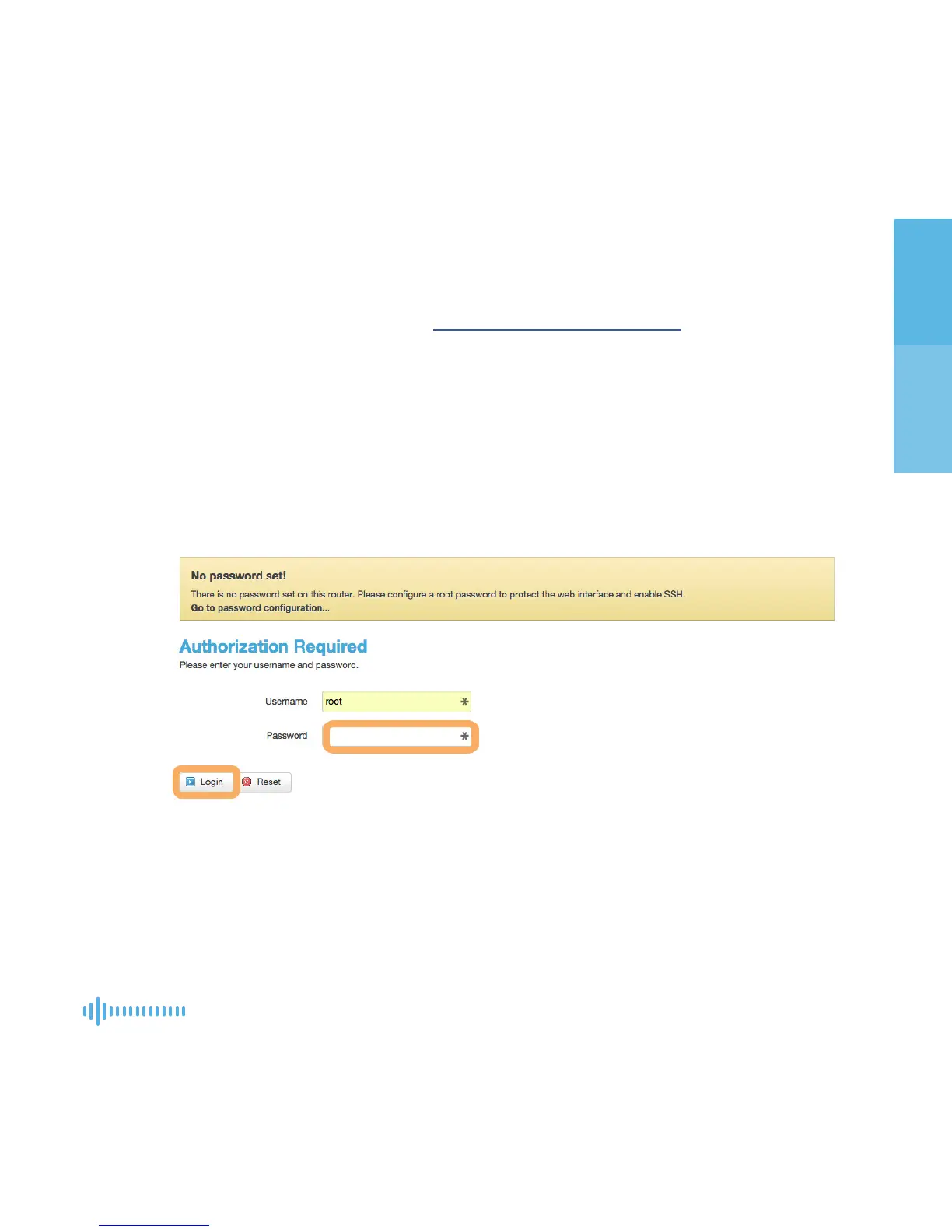
OPTION 2: New Users /After a Reset:
You’ll see a yellow box indicating that you do not have an admin
password. Click login with a blank password eld.
STEP 2 ACCESSING THE USER INTERFACE
+
+
+


 To Next Page