130.0
1:00
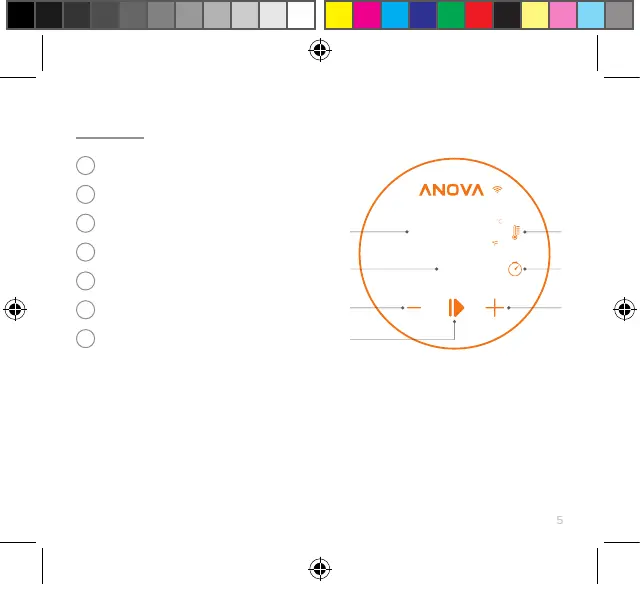
USING THE DISPLAY
set or change temperature
• Press the Target Temperature
button
• Press the +/- buttons
set or change cooking time
• Press the Timer button
• Press the +/- buttons
1
3
5
7
2
4
6
Current and Set Temperature Display
Set Temperature
Timer Display
Set Timer
Decrease Time/Temp
Increase Time/Temp
Start/Stop
change to fahrenheit or celsius
• Press and hold the Current
Temperature button for 3 seconds
start or stop cooking
• Press the Start/Stop button
1
2
3
4
5
6
7
Precision Cooker QSG Master_EN_FR-CA.indd 5Precision Cooker QSG Master_EN_FR-CA.indd 5 15/12/2022 3:50:51 PM15/12/2022 3:50:51 PM


 To Next Page