(2)
Display
The display unit can be mounted on a desk, a bulkhead or from the ceiling. Determine the best
location by taking the navigational and shipboard operations into account as follows:
Compass safe distance
Scanner
Display
I
(1) When the operator looks up from the radar, she/he must be able to see the bow.
(2)
Water must not splash on the display when a nearby window
or
door
is
open.
(3)
The installation location must
be
well ventilated and
fiee
from
vibration.
(4) There must be sufficient clearance for servicing and inspection.
(5)
The location must
be
the
minimum
safe distance from the magnetic compass
to
avoid disturbing
Master
compass Steering compass
2.0
m
1.4
m
2.0
m
1.4
m
the compass.
(3)
Rectifier (option)
Install the rectifier in a dry well-ventilated location close to the display.
B.4
Mounting Scanner
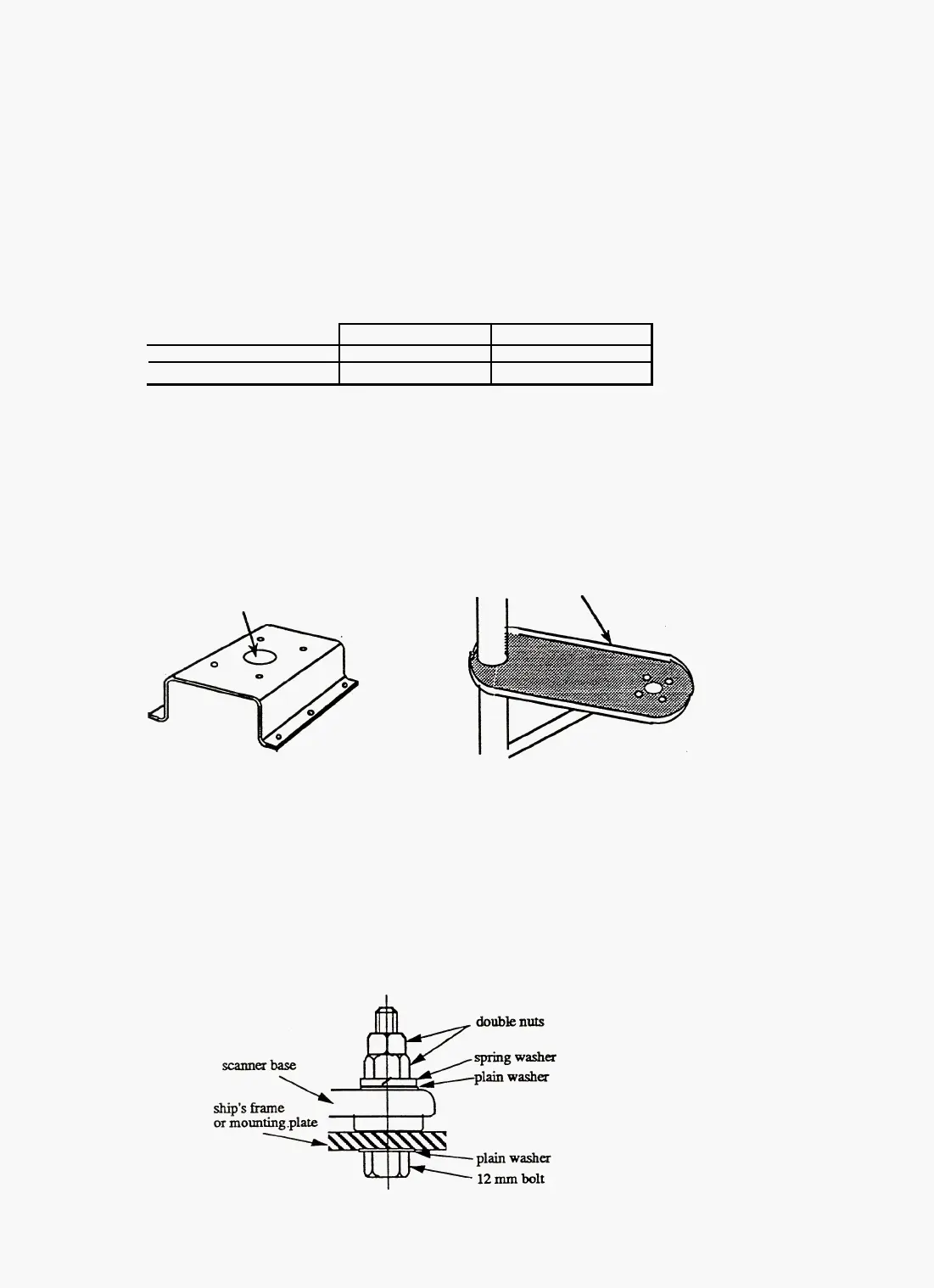
(1)
Bracket
Use a bracket like the two designs shown below in which water cannot accumulate.
Do not use an edge that might trap water.
100-mm
diameter
hole
Notes:
1. When the radar mast amounting bracket has a curvature of more than 2mm, repair it or use
spacers.
2. The mounting position should be such that the cable entrance faces the ship's stern.
3.
The bracket thickness should be
5
to
12
mm.
4. Refer to the diagram of the external appearance in the supplied diagrams for the mounting di-
mensions.
(2)
Scanner
fixings
Use the accessory nuts and bolts to mount the scanner as shown in the diagram below.
41



 To Next Page