APPENDIX
B
INSTALLATION
(3)
Antenna
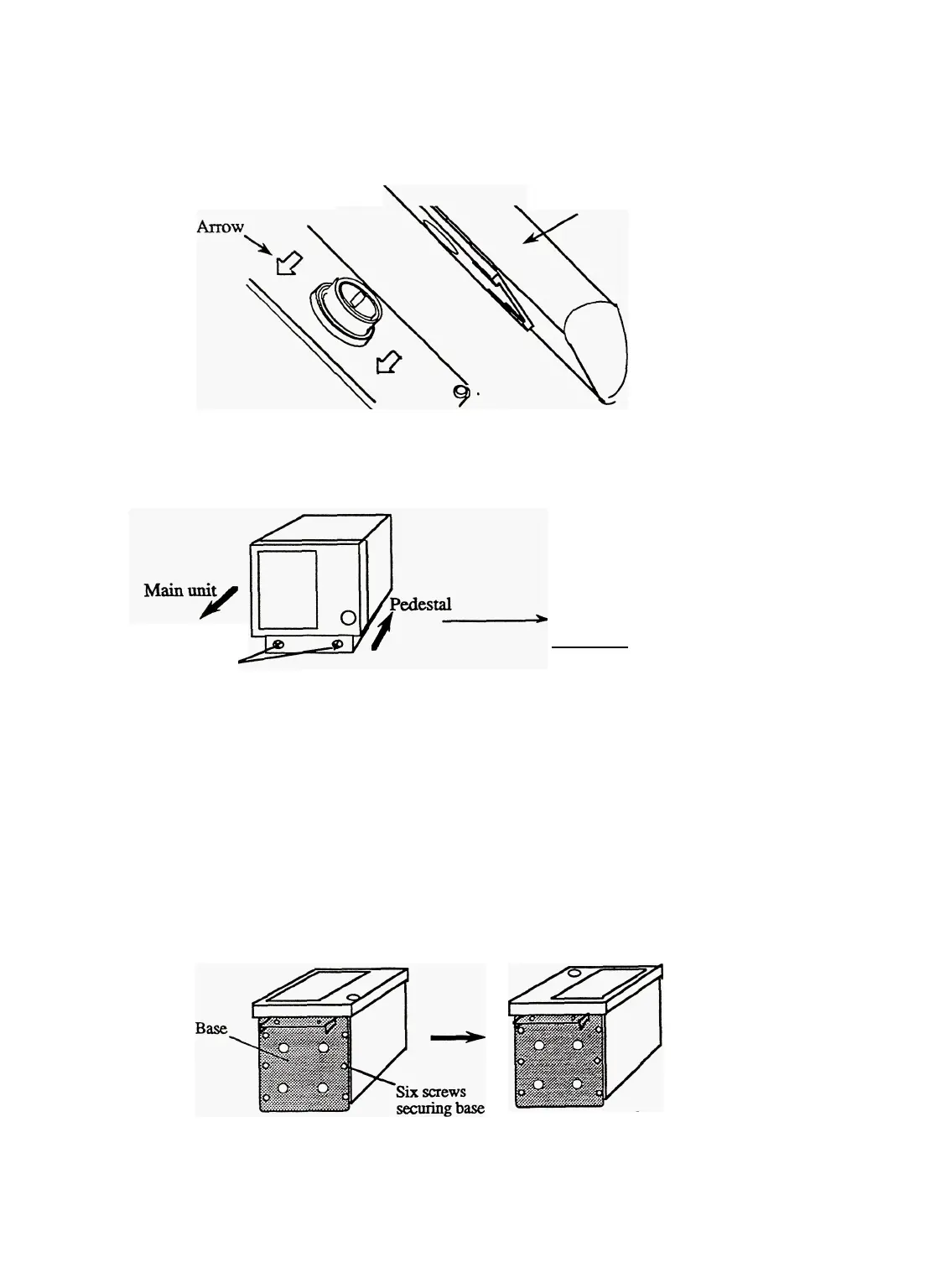
Remove the protective
cap
covering
the rotary coupler
on
the top of the scanner.
Match
the
antenna
radiation direction to direction of the
arrow
markings
on
the rotation
base
and
fix
the antenna
in
position
using
the
four
M8
accessory
bolts.
Antenna radiation
surface
B.5
Mounting
Display
(1)
Desktop
1 Remove the two fixing bolts that secure the pedestal from the display.
Fixing
bolts
Removed
Pedestal
2
3
Fix the pedestal to the desk top using four M8 bolts or eight 5-mm self-tapping screws.
Fit the main unit into the pedestal and secure it with the two fixing bolts.
Notes:
1. Refer to the diagram showing the external appearance for the installation method.
2. The pedestal has height-adjustment nuts; select the best angle.
(2)
Overhead
or
Wall
1
2
3
Remove the pedestal and the three covers of the main unit.
Remove the six screws fixing the base to the bottom of the main unit and remove the base.
Install the removed base on the top of the main Unit
Fixing
base
to
top
of
main
unit
Removing
base
42



 To Next Page