Step 3. To display the measurement data in a histogram format, press the Display Raw
Data/Histogram
soft key.
Step 4. Press the
Measure Duration soft key to set the duration of the measurement, and
press ENTER. The maximum measurement duration is two days.
Step 5. Press the
Time Scale soft key and use the Up/Down arrow key to select the histo
-
gram resolution, and press ENTER. The maximum time scale is 60 minutes.
NOTE: The unit sets the histogram display and collects and displays the data
based on the selected time scale. For example, if the time scale is set to 30
minutes, the unit collects and updates the histogram display data every 30 min
-
utes. When the time scale is set to Auto, the unit automatically sets the histo
-
gram display to collect the data based on the selected measurement duration.
Step 6. Press the
Start/Stop Measure soft key to begin the measurement.
Step 7.
Press the SYS key, then the
Options and Log Data soft keys to save the data. A
message window will display if there is insufficient memory to log the complete
duration. Adjust the Measurement Duration and Time Scale as necessary to log
the data.
Step 8. Press the
Start/Stop Measure soft key to begin the measurement.
NOTE: The RUN/HOLD key can also be used to start or stop the measurement.
To Insert Setup Errors
Press the
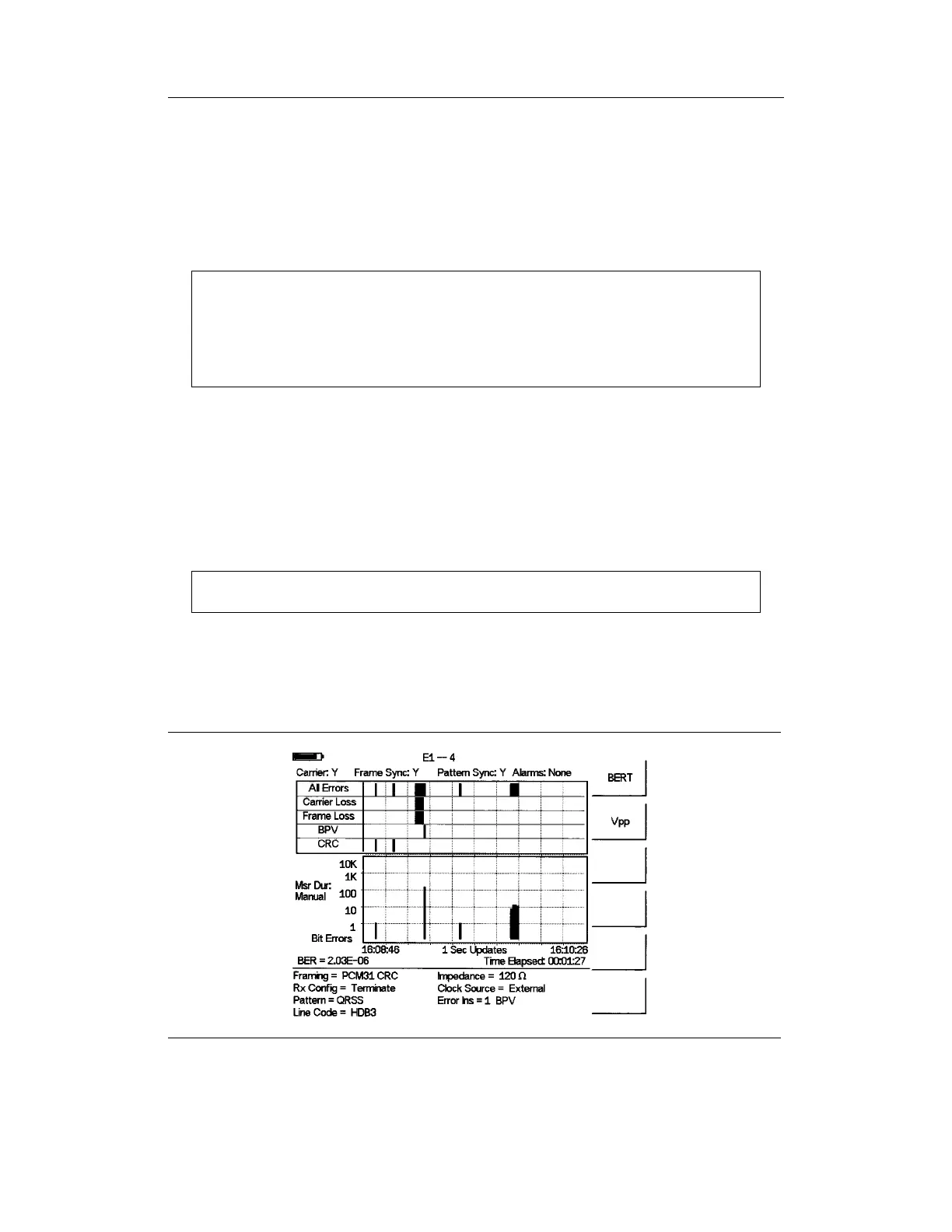
Insert Errors soft key to inject errors in the transmit signal while performing the is
E1 measurements. Figure 8-8 illustrates the E1 measurement when the errors are inserted
and it is displayed on the right side at the bottom of the display.
8-10
Chapter 8 E1 Measurements
Figure 8-8. E1 Measurement Display with Errors Inserted













 To Next Page