EasyManua.ls Logo

ANS UL40 - Understanding Display Icons; Status icons; Notification icons

ANS UL40
60 pages
Print Icon
To Next Page IconTo Next Page
To Previous Page IconTo Previous Page
Loading...
!
10"
Essential Display Icons
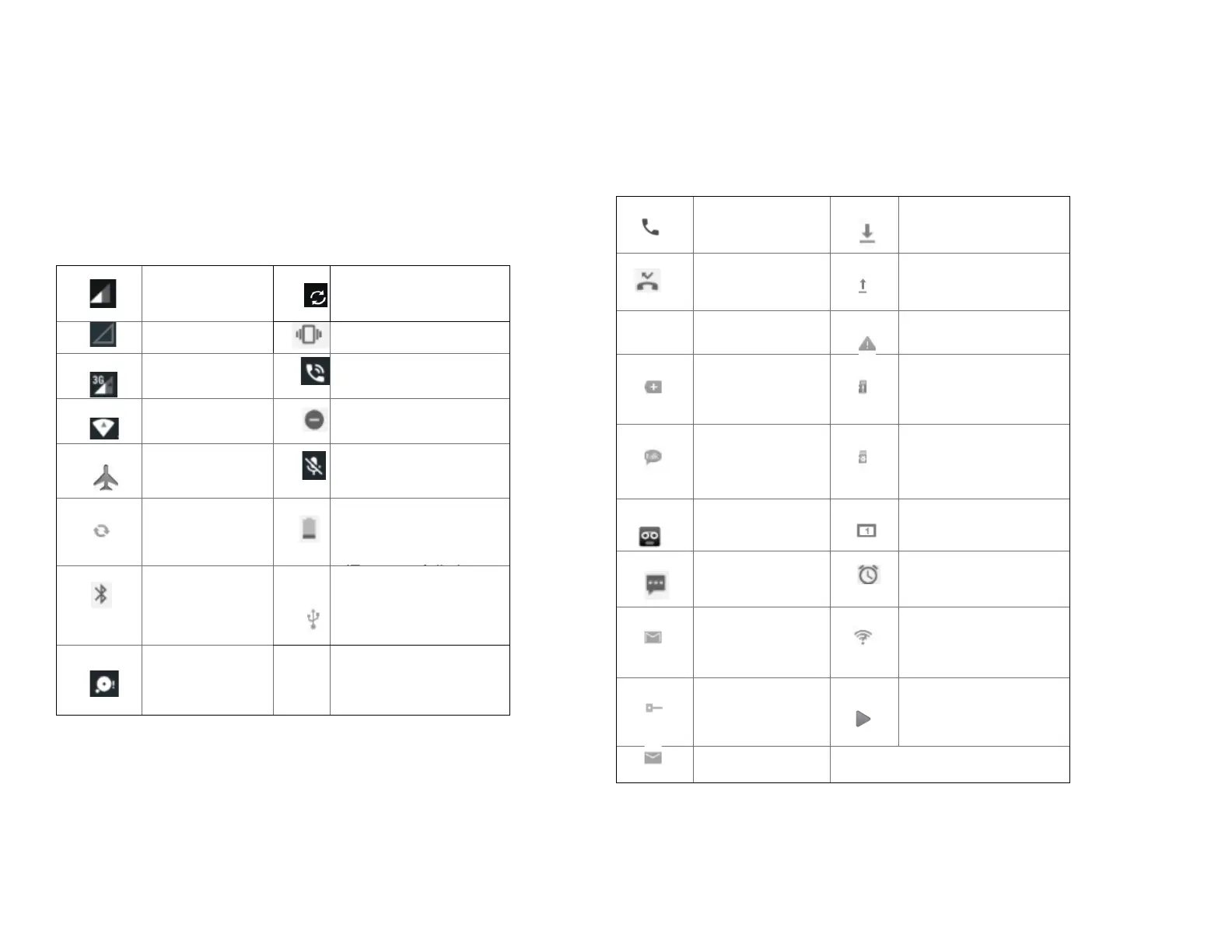
1. Status icons
You can tell a lot about your phone when you
understand the icons in the Status bar.
Here’s what each one means:
Signal strength
Synchronized with the
web
No signal
Vibrate only mode
3G network
connected
Speakerphone is on
Wi-Fi signal
strength
Silent mode-no audio
or vibration
Airplane mode
Microphone is muted
Data
synchronizing
It indicates that battery
is remaining
(Empty to full charge
states)
Bluetooth is on
Connected to a
computer via USB
cable
Storage is
insufficient
2. Notification icons
Notification icons in the Status bar alert you to items that
may require your attention such as new messages,
calendar event reminders, missed call notifications, etc.
Here’s what each one means:
Call in progress
Downloading data
Missed call
Uploading data
(animated)
Call Diverted
General Warning
Icon
More (not
displayed)
notifications
No microSD card
installed
New
Google Talk
instant message
MicroSD card is
being prepared
New voicemail
Upcoming event
New message
Alarm is set
New Gmail
Wi-Fi is on and
wireless networks
are available
Connected to or
disconnected
from VPN
Song is playing
New Email

Table of Contents

Related product manuals