EN
16
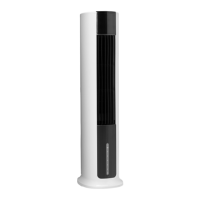
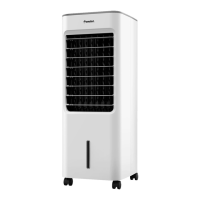
DESCRIPTION
1. Control panel
2. Filter panel
3. Cover for water reservoir
4. Water container
5. Ice packs
6. Link wheel
FIG. 1
CONTROL PANEL
SPEED
Press the SPEED button to select the speed and
air ow (3 modes)
STYLE
Press the STYLE button to switch between
normal function and night mode.
• Symbol MOON = 15 min on medium ->
rest of the time on low.
• Symbol LEAF = sequence. Three sequences
depending on the speed.
TIMER
Press TIMER when the fan is running to set
automatic switching o from 1 to 7 hours or,
when the fan is in standby, to automatically
start in 1 to 7 hours.
EVA/COOLER
Press the level control button EVA/COOLER to
check the water level – if the status light stays
on there is enough water, if the status light
ashes immediately add water.
FIG. 2
REMOTE CONTROL
7. Air speed
8. Oscillation
9. Air ow
10. ON/OFF
11. Humidication/cold air
12. Timer
FIG. 3
ASSEMBLY
WHEEL
Fit the wheels in the holes in the bottom of the
air cooler.
FIG. 4
BATTERY
The remote control needs a battery to work.
The remote control can be used at a range of
up to ve metres when pointed at the product
(it can normally handle a deviation of 30
degrees).
1. Open the battery cover.
FIG. 5
2. Take out the battery holder.
FIG. 6
3. Insert the battery with the positive
terminal facing up.
FIG. 7
4. Push the battery holder into the remote
control.


 To Next Page