22
REMOTE CONTROL
1. Oscillation On/O
2. Start/stop/adjust humidication function
3. On/O
4. Setting of fan mode/timer
5. Button for timer function
FIG. 2
NOTE:
The remote control can be used within 5
metres and at 30° from the front of the air
cooler.
ASSEMBLY
REMOTE CONTROL
Insert 2 AA batteries with the correct polarity in
the remote control.
FIG. 3
NOTE:
• Batteries for the remote control are sold
separately.
• Recycle used batteries in accordance
with local regulations.
HOW TO USE
USING THE WATER TANK
Relling water in the water tank and
instructions for removing and cleaning.
1. Turn the catch for the water tank to its
horizontal position.
2. Fill with water, without pulling out the
water tank all the way, and then press
back in.
FIG. 4
3. To pull the water tank out all the way from
the air cooler, disconnect the pump unit
and water hose by turning the catch 90°
SYMBOLS
Read the instructions.
Safety class II.
Approved in accordance with
the relevant directives.
Recycle discarded product
in accordance with local
regulations.
TECHNICAL DATA
Rated voltage 230 V
~
50 Hz
Output 65 W
Max ow speed 8.94 m³/min
Max air speed 3.76 m/s
Service value 0.16 (m³/min)/W
Sound power level 61.74 dB(A)
Remote control battery 2 x AAA (1.5 V)*
Cord length 180 cm
Size W34.5 x H105 x D27 cm
Weight 10.5 kg
*Batteries for the remote control are sold
separately.
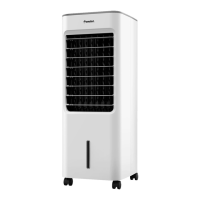
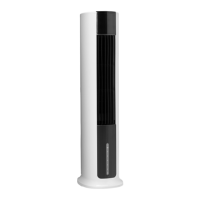
DESCRIPTION
AIR COOLER
1. Control panel
2. Clip
3. Grille
4. Ice container
5. Water tank
FIG. 1


 To Next Page