EasyManua.ls Logo

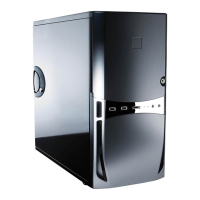
Antec Solo - User Manual

Antec Solo
8 pages
Print Icon
To Next Page IconTo Next Page
Loading...
1
Solo Quiet Mini Tower Case
User’s Manual
Manuel de l’utilisateur
Anwenderhandbuch
Manuale per l’operatore
Manual del usuario
পᡅ䂀ᯢ᳌
Question and Answer IconNeed help?

Do you have a question about the Antec Solo and is the answer not in the manual?

Summary

Disclaimer

Setting Up

Installing the Motherboard

Installing the Power Supply

Connecting the Power and LED

Connecting the USB Ports

Connecting the IEEE 1394 (FireWire, i.Link) Port

Connecting the Audio Ports

Hard Disk Installation

The Tray Mount

Describes mounting hard drives using trays with silicon grommets within the cage.

The Suspension Mount

5.25 Device Installation

Cable Organizer

Cooling System

The TriCool fan

Describes the rear 120mm TriCool fan with three-speed control for quiet or performance cooling.

The Front 92 mm fans

Details installing two optional 92mm fans in the front for cooling the internal drives.

Antec Solo Specifications

General IconGeneral
Expansion Slots7
MaterialSteel
Motherboard SupportATX, Micro-ATX
Cooling System1 x 120mm
Front Ports2 x USB 2.0, 1 x Audio In, 1 x Audio Out

Related product manuals