Need help?
Do you have a question about the Antec P100 and is the answer not in the manual?
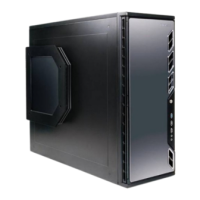
Provides an overview of the P100 chassis components with a labeled diagram.
Details dimensions, weight, cooling capabilities, drive bays, and I/O panel specifications.
Lists and identifies all screws provided with the chassis for hardware installation.
Outlines essential safety precautions and preparation steps before starting assembly.
Instructions on how to set up the case and remove side panels for access.
Step-by-step guide for correctly installing the motherboard onto the chassis standoffs.
Procedure for installing Antec KUHLER H2O liquid CPU coolers, including compatibility.
Guide on how to properly mount and secure the power supply unit (PSU) in the case.
Steps for installing devices such as optical drives into the chassis's 5.25-inch bays.
Instructions for installing 3.5-inch and 2.5-inch storage drives into the chassis.
Methods for organizing and routing internal cables for improved airflow and aesthetics.
Details on connecting the front panel USB 2.0 ports to the motherboard's USB header.
Guide for connecting the front panel USB 3.0 ports to the motherboard's USB 3.0 header.
Instructions for connecting the front panel AC'97 or HD Audio ports to the motherboard.
Connecting power switch, reset switch, and HDD LED indicators to motherboard headers.
Procedure for reconfiguring front panel connector pin-outs on the motherboard headers.
Technical details and performance data for the fans included with the P100.
Guidance on installing additional fans in the front and top locations of the chassis.
Explanation of the two-way speed switches for controlling fan RPMs.
Instructions for accessing, removing, and cleaning the front and PSU intake air filters.
 General
| Brand | Antec |
|---|---|
| Model | P100 |
| Category | Computer Accessories |
| Language | English |


 To Next Page