P 19
1. Find the fan mounting screw holes on the interior
of the case. They are located on the interior of the
internal 3.5” drive bay rails, below the cable
management compartment.
2. Secure your 120mm fan to the four screw holes
using the fan screws provided with the case.
4.3
W
ASHABLE
A
IR
F
ILTERS
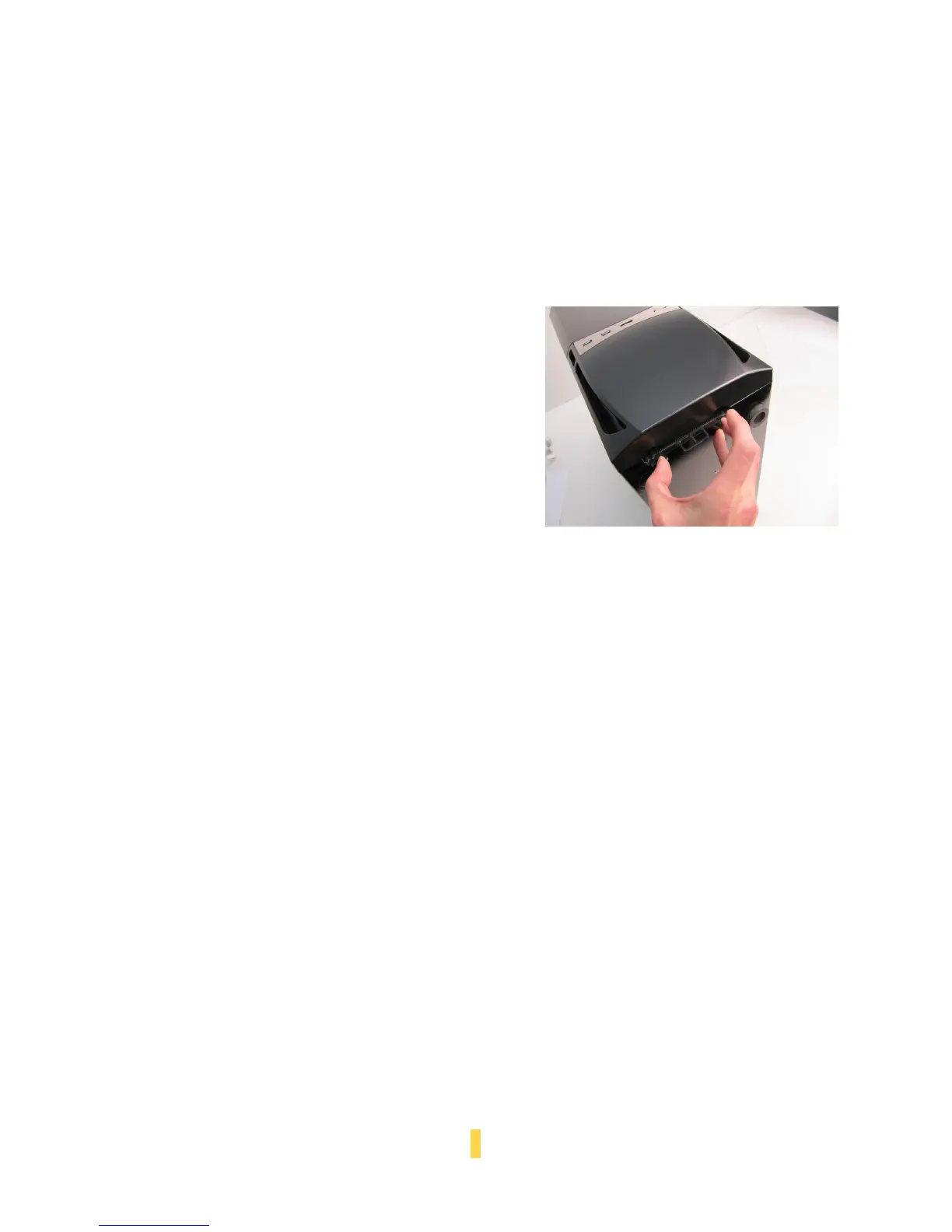
Your case features a washable, removable front panel air
filter.
To remove the air filter:
1. Rest the case on its back or side.
2. Locate the two black air filter retention pinch tabs
at the front bottom of the case.
3. Pitch the outermost tabs together and pull the
filter from the case.



 To Next Page