EasyManua.ls Logo

Antelope 2 PURE - User Manual

Antelope 2 PURE
18 pages
Print Icon
To Next Page IconTo Next Page
Loading...
Question and Answer IconNeed help?

Do you have a question about the Antelope 2 PURE and is the answer not in the manual?

Summary

Safety Notes

Installation Guide

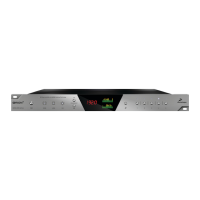
Front Panel Explained

Power Button

Toggles standby/operation state and accesses an options menu.

Oven Clock Light

Indicates when the Pure2 is clocked by its internal clock.

Lock Light

Signals lock to an incoming digital signal or flashes if no valid digital signal.

Atomic Clock Light

Indicates lock to an atomic signal, switching off Oven Clock light.

Display

Multi-function display showing sample rate and volume levels.

Rotary Control

Stepped attenuator for adjusting analog output and headphone levels.

Rear Panel Explained

Software Control Panel

Main View

Details the configuration of inputs, outputs, and names in the control panel.

Technical Specifications

Summary

Safety Notes

Installation Guide

Front Panel Explained

Power Button

Toggles standby/operation state and accesses an options menu.

Oven Clock Light

Indicates when the Pure2 is clocked by its internal clock.

Lock Light

Signals lock to an incoming digital signal or flashes if no valid digital signal.

Atomic Clock Light

Indicates lock to an atomic signal, switching off Oven Clock light.

Display

Multi-function display showing sample rate and volume levels.

Rotary Control

Stepped attenuator for adjusting analog output and headphone levels.

Rear Panel Explained

Software Control Panel

Main View

Details the configuration of inputs, outputs, and names in the control panel.

Technical Specifications

Antelope 2 PURE Specifications

General IconGeneral
BrandAntelope
Model2 PURE
CategoryMedia Converter
LanguageEnglish

Related product manuals