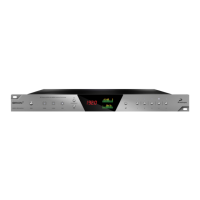
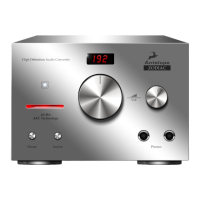
The Antelope Amari is a high-end AD/DA converter designed for mixing engineers, mastering professionals, and audiophiles, offering a blend of advanced functionality and user-friendly design. This desktop unit is equipped with a touchscreen display and a comprehensive set of controls for audio management.
Function Description
The Amari serves as a central hub for high-fidelity audio conversion, supporting PCM up to 384kHz and DSD up to DSD256 (DSD over PCM). It features two high-power headphone outputs, one pair of analog outputs (XLR or TRS), and one pair of analog inputs (Combo XLR or RCA). The device is designed to integrate seamlessly into professional audio setups, offering both 10M and Word Clock inputs for enhanced system synchronization and audio clarity.
The unit's core function revolves around its conversion capabilities, utilizing high-end 24-bit 384 kHz AD (2x AK5578) and DA (8x CS43198) converters. This architecture aims to deliver a wide dynamic range, with 128dB for A/D and 138dB for D/A, contributing to a detailed and dynamic sound reproduction.
Usage Features
The Amari's front panel is designed for quick and intuitive control. It features a touchscreen display that provides visual feedback and access to advanced functions. Dedicated knobs and buttons allow for fast access to frequently used controls.
- Headphone Outputs: The device includes two balanced headphone outputs, each with its own volume control. These outputs offer user-selectable output resistance, a feature referred to as "headphone membrane weight compensation," which allows users to adjust the impedance to match their headphones for optimal performance. The headphone outputs can also be switched to balanced mode.
- Master Volume Control: A prominent master volume knob on the front panel allows for overall output level adjustment. When pressed, this knob brings up the Monitor Out panel on the display, providing access to volume, mute, and trim settings.
- Mono, Mute, and Dim Buttons: Dedicated buttons for Mono, Mute, and Dim functions are available for quick audio manipulation. The Dim button attenuates the audio by a preset amount, useful for temporary volume reductions.
- Clock Indicators: The front panel includes indicators for Oven Clock, Atomic Clock, and Word Clock, providing visual confirmation of the active clock source.
- Software Control Panel: The Amari comes with a software control panel for PC/MAC, mirroring much of the touchscreen's functionality and offering flexible signal routing options. This panel includes a "Function Strip" at the top with menus and controls for power, clock source, sample rate, device selection, and settings.
- Monitor View: This section of the software control panel allows users to choose the audio source for the monitor outputs (Analog, USB Play, AES, S/PDIF, TOSLINK), adjust L/R channel balance, and control gain. It also features output level meters for visualizing signal levels.
- Headphone 1 & 2 Views: These sections provide dedicated controls for each headphone output, allowing users to select the audio source, adjust balance, gain, and manage the "HP Membrane Weight Compensation" knob. This knob adjusts headphone output impedance from -4.6 Ohms to 85.3 Ohms in 17 control steps, enabling precise matching with various headphones.
- Digital View: This section manages signal routing for digital inputs and outputs. While digital inputs and outputs are fixed, audio sources can be freely chosen from dropdown menus for AES, S/PDIF, and TOSLINK.
- Settings Menu: The software control panel includes a settings menu where users can select the analog input source (RCA or Combo XLR), adjust dimming levels, control touchscreen brightness, set buffer size, and configure ASIO control (Windows only) and USB streaming mode (Min Latency, Low Latency, Standard, Relaxed, Safe, Extra Safe).
- Device Info: A device info button in the software control panel displays crucial information such as control panel, hardware, and firmware versions, as well as the serial number. It also provides buttons for firmware updates and access to the administration panel.
Maintenance Features
The Amari is designed for reliability, but proper handling and care are essential for its longevity.
- Cleaning: The unit should be cleaned only with specialized cleaners for electronics equipment. Harsh chemicals should be avoided.
- Environmental Considerations: The device is designed to operate in a temperate environment, with an optimal temperature range of 0-50 °C (32-122 °F). It should not be exposed to rain, moisture, or liquid spills. Placing it in a narrow or poorly ventilated area should be avoided to prevent overheating and ensure proper operation.
- Power Management: To completely turn off the device, the power adapter should first be unplugged from the outlet and then from the rear panel of the unit. All devices should be connected before powering on the Amari.
- Servicing: There are no user-serviceable parts inside the unit. In case of any malfunction or if a foreign object or liquid enters the device, it should be switched off, unplugged, and serviced by qualified personnel or the manufacturer.
- Software and Firmware Updates: The Antelope Launcher provides a convenient way to update the Amari's firmware and control panel to the latest available versions, ensuring optimal performance and access to new features.
- Registration and Support: Users are encouraged to register their device using the Antelope Audio Registration Wizard. In case of any trouble, Antelope Audio Customer Support is available for assistance.
- Kensington Lock: The rear panel includes a Kensington Lock slot, which can be used for securing the device, particularly useful in demonstration rooms or public settings.

 Need help?
 General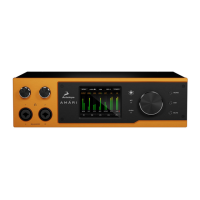

 To Next Page