4. FRONT & REAR PANELS EXPLAINED
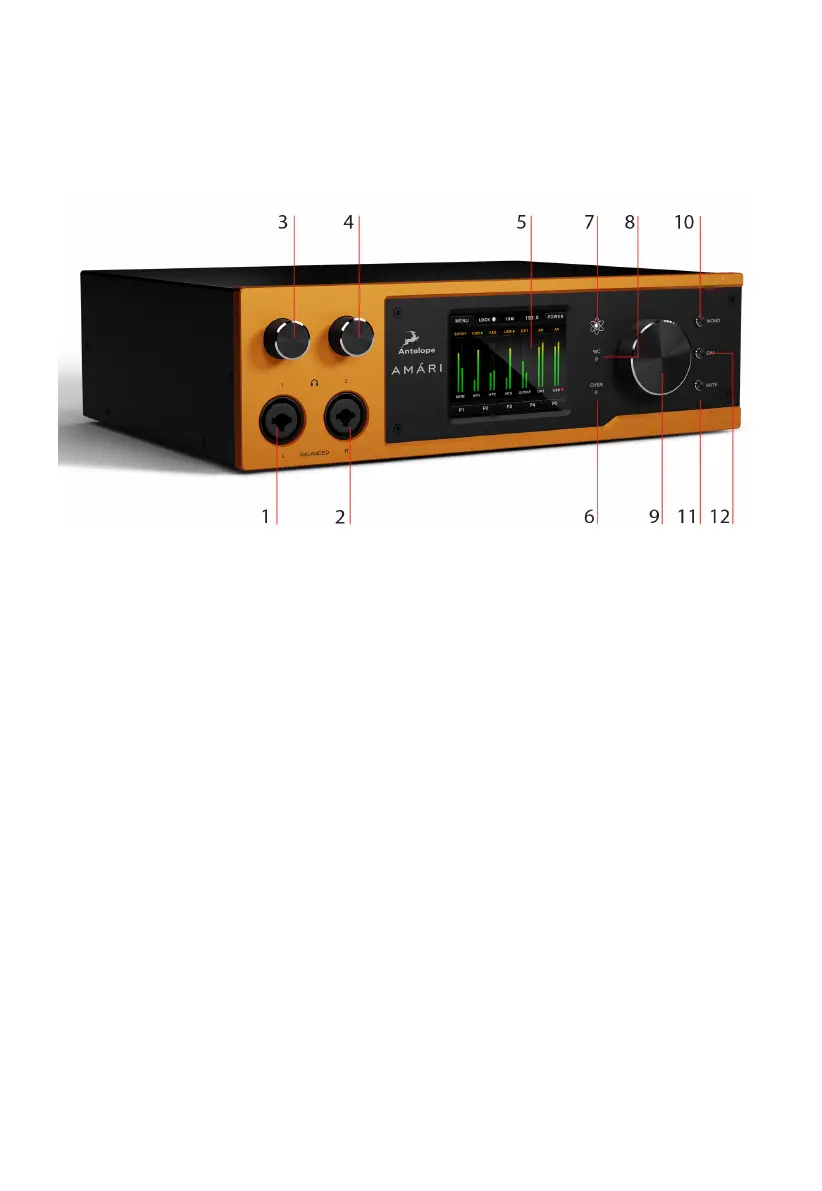
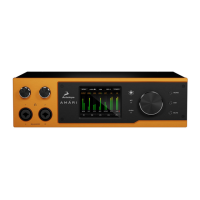
4.1 FRONT PANEL EXPLAINED
1. Left Balanced Headphone Output
2. Right Balanced Headphone Output
3. Headphone Output 1 Volume Control
4. Headphone Output 2 Volume Control
5. Touchscreen
6. Oven Clock Indicator
7. Atomic Clock Indicator
8. Word Clock Indicator
9. Master Volume Knob
When pressed the display shows the Monitor Out panel with Volume/Mute/
(Trim...)
10. Mono Button
11. Mute Button
12. Dim Button
Press this button to attenuate the audio by a preset amount.


 To Next Page