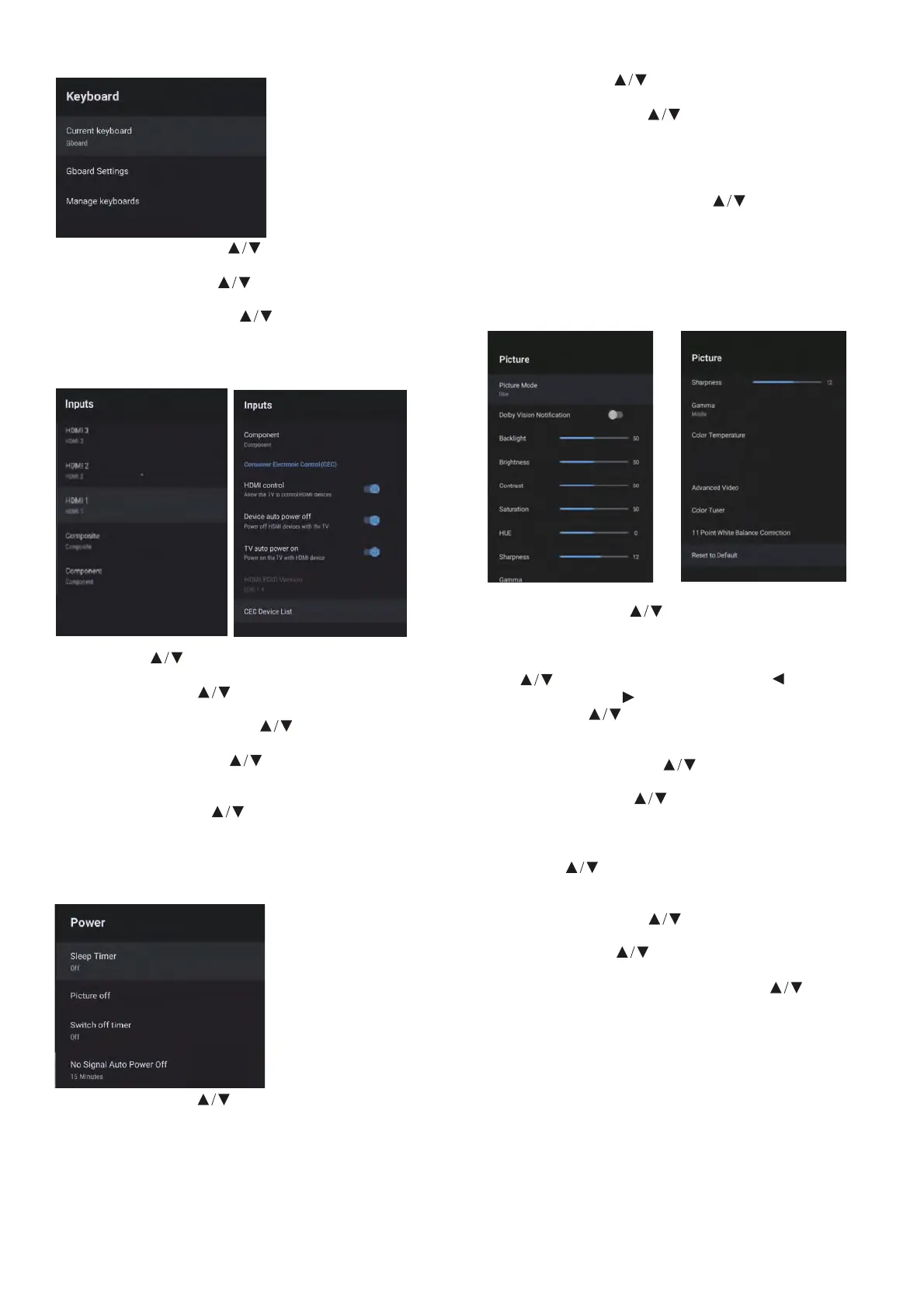
KEYBOARD
Current keyboard – Press button to select the
option then press OK button to enter the sub-menu.
Gboard Settings – Press button to select the
option then press OK button to enter the sub-menu.
Manage keyboards – Press button to select the
option then press OK button to enter the sub-menu.
INPUTS
POWER
Sleep Timer – Press button to select the option
then press OK button to enter the sub-menu.
(Optional: OFF, 10 minutes, 20 minutes, 30 minutes
40 minutes, 50 minutes, 60 minutes, 90 minutes,
120 minutes)
PICTURE
HDR
on
Picture OFF – Press button to select the option then
press OK button to choose ON/OFF.
Switch o timer – Press button to select the option
then press OK button to enter the sub-menu.
(Optional: OFF, 30 minutes, 60 minutes, 90 minutes,
120 minutes, 150 minutes, 180 minutes, 210 minutes,
240 minutes)
No Signal Auto Power O – Press button to select
the option then press OK button to enter the sub-menu.
(Options: 5, 10, 15, 30 or 60 minutes)
Picture Mode – Press button to select the option
button to enter the sub-menu. (Options: User, Standard,
Vivid, Sport, Movie, Game, Energy saving).
Backlight/Brightness/Contrast/Saturation/HUE/ Sharpness –
Press button to select the option. Press to decrease
the parameter. Press to increase the parameter.
Gamma – Press button to select the option then
press OK button to enter the sub-menu.
(Options: Dark, middle, Bright).
Color Temperature – Press button to select
the option then press OK button to enter the sub-menu.
Picture format – Press button to select
the option then press OK button to enter the sub-menu.
(Options: Automatic/Super zoom/4:3/Movie expand 14:9/
Movie expand 16:9/Wide screen/Full/Unscaled).
HDR – Press button to select the option then press
OK button to enter the sub-menu.
(Options: ON/OFF)
Advanced Video – Press button to select
the option then press OK button to enter the sub-menu.
Color Tuner – Press button to select
the option then press OK button to enter the sub-menu.
11 Point White Balance Correction – Press button
to select the option then press OK button to enter the
sub-menu.
Reset to Default – Resets all settings to the factory defaults.
Inputs – Press button to select the
option then press OK button to enter the sub-menu.
HDMI control – Press button to select the
option then press OK to choose ON/OFF.
Device auto power o – Press button to select the
option then press OK button to choose ON/OFF.
TV auto power on – Press button to select the
option then press OK button to choose ON/OFF
HDMI EDID Version – Displays EDID version.
CEC Device List – Press button to select the
option then press OK button to enter the sub-menu.



 To Next Page
 Loading...