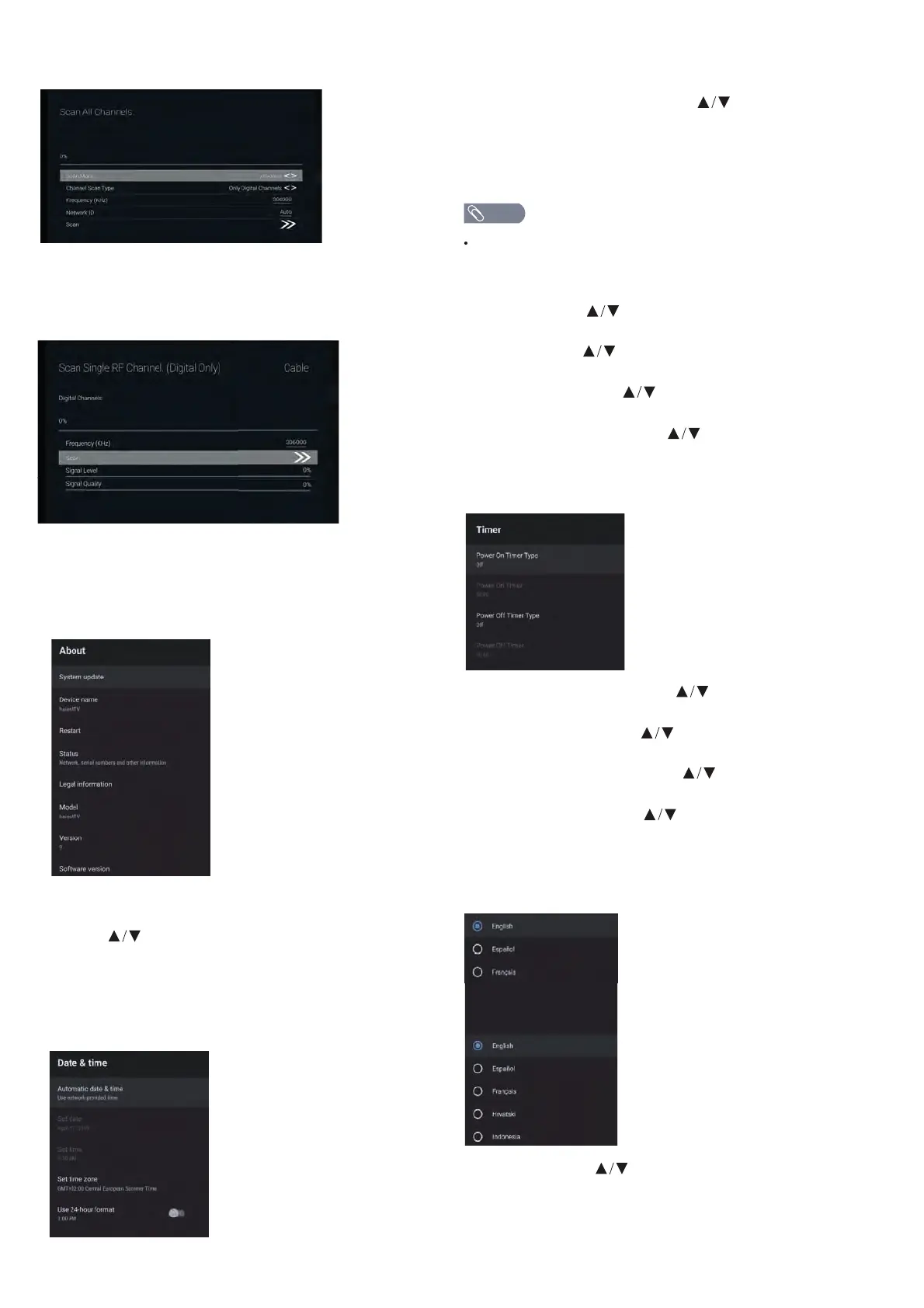
Set date – Press button to select the option
then press OK button to enter the sub-menu.
Set time – Press button to select the option
then press OK button to enter the sub-menu.
Set time zone – Press button to select the option
then press OK button to enter the sub-menu.
Use 24-hour format – Press button to select the
option then press OK button to choose ON/OFF.
In this menu, you can read the information and
settings of TV.
1. Press button to select what you want set.
2. Press OK button to adjust.
3. After nishing your adjustment, Press BACK button
to return to the previous menu.
DATE&TIME
DEVICE PREFERENCES
ABOUT
Manually adjusting date & time settings will
auto
maticall change the Automatic date & time
to OFF.
NOTE
Automatic date & time – Press button to
select the option then press OK button to enter
the sub-menu.
(Optional: Use network-provided time, O)
TIMER
Power On Timer Type –Press button to select the
option then press OK button to choose ON/OFF/ONCE.
Power On Timer – Press button to select the
option then press OK button to enter the sub-menu.
Power O Timer Type – Press button to select
the option then press OK button to choose ON/OFF/ONCE.
Power O Timer – Press button to select the
option then press OK button to enter the sub-menu.
LANGUAGE
Language – Press button to select the option
then press OK button to enter the select language.
3. Enter Channel Scan, where Akado, Divan TV,
Online and Rostelecom (SPB) are the local operators,
and the default Scan Mode is Advance;Others have
Advance, Quick and Full Scan modes.
Single RF Scan: manual search station.



 To Next Page