ES
19
CANAL
Escaneo manual
Presione el botón / para seleccionar Escaneo manual, luego presione el botón OK para ingresar.
Presione el botón
/ para seleccionar Escaneo manual de DTV/Escaneo manual de ATV.
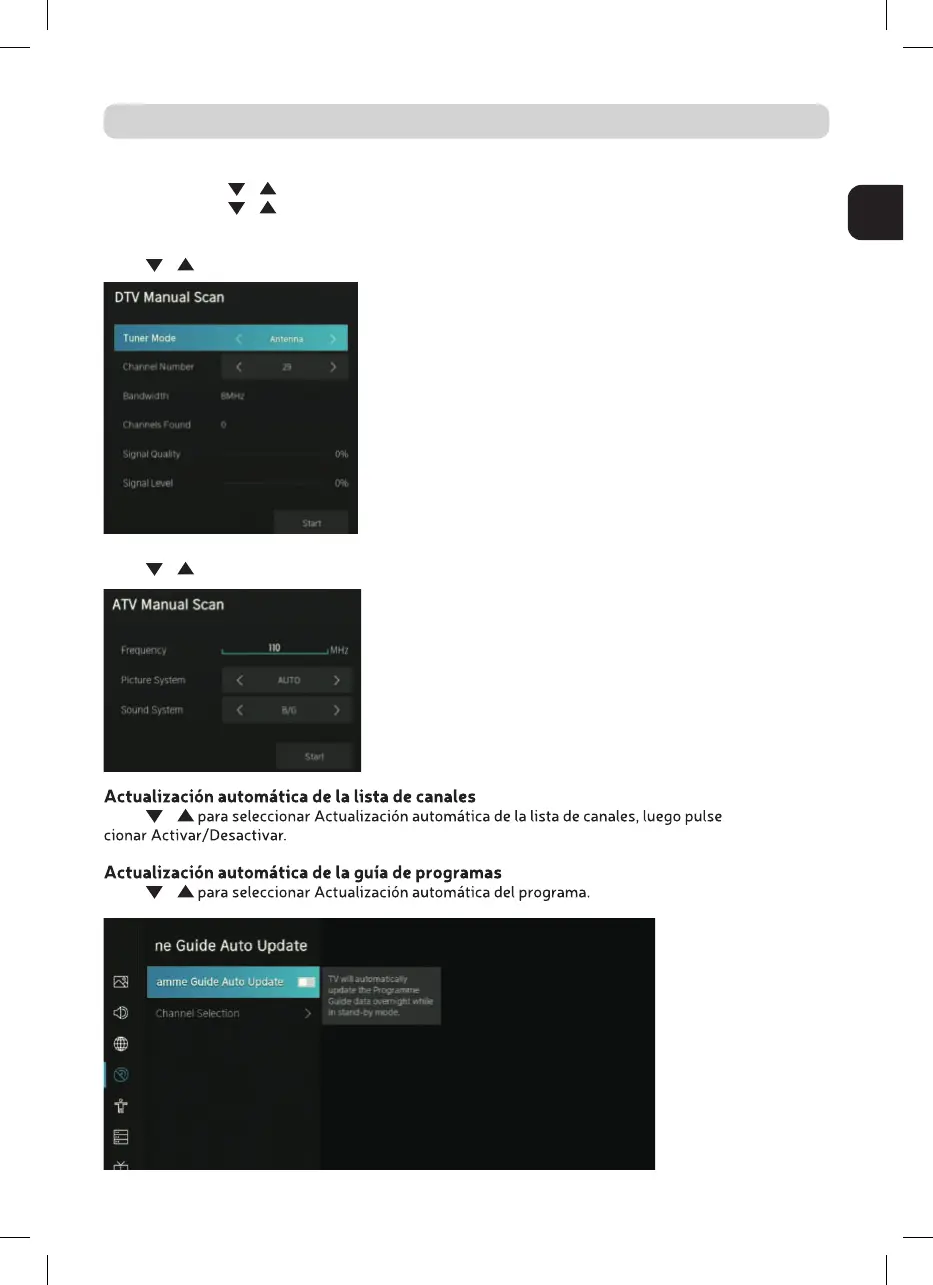
Exploración manual de DTV
Pulse / para seleccionar DTV Manual Scan, luego presione el botón Enter para ingresar.
Escaneo manual de ATV
Pulse / para seleccionar ATV Manual Scan, luego presione el botón Enter para ingresar.
Pulse / OK para selec-
Pulse /



 To Next Page