70
PICTURE
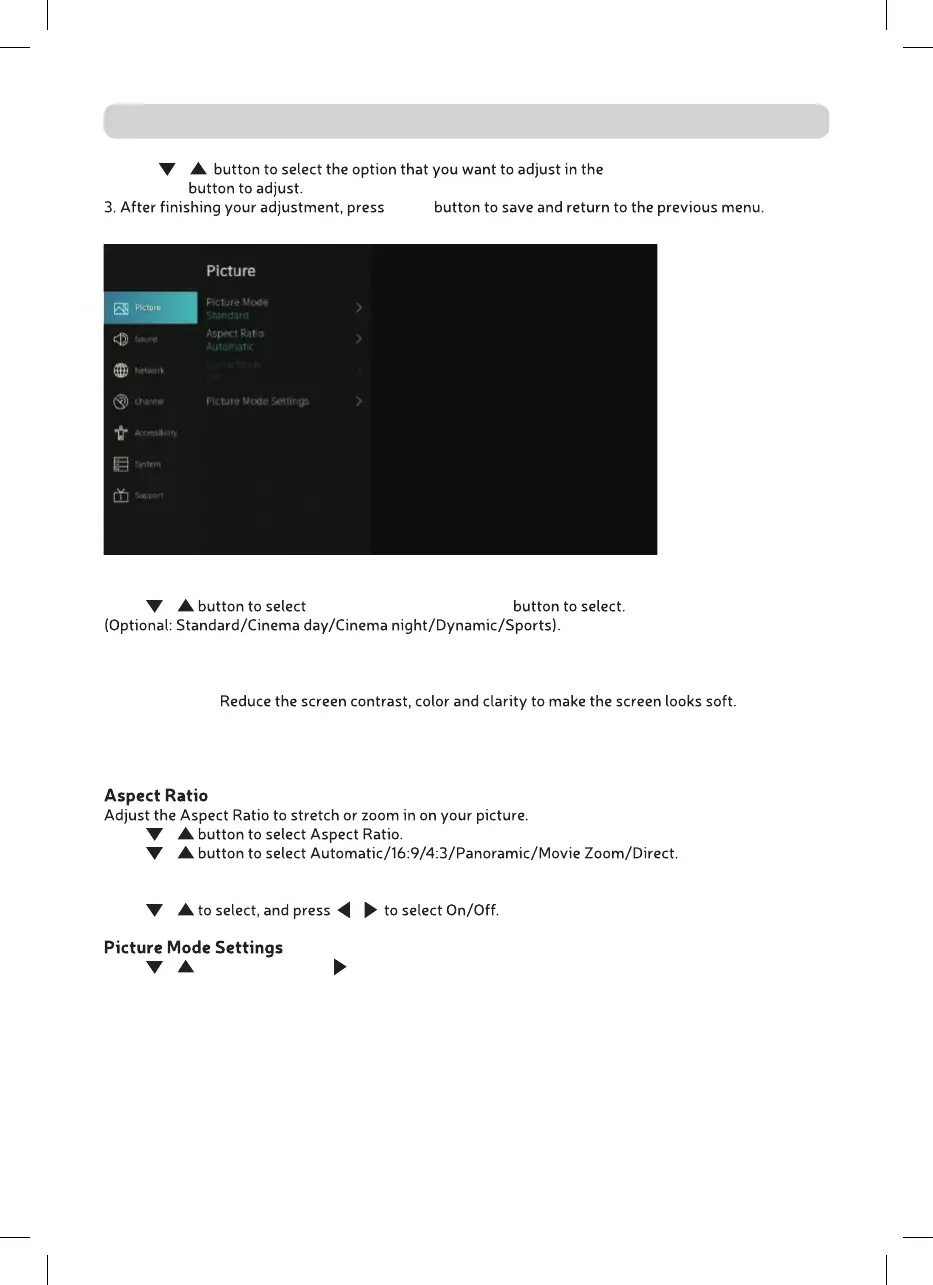
1. Press / PICTURE menu.
2. Press OK
BACK
Picture Mode
Press / Picture Mode, then press OK
Standard The default mode, to make users experience high-quality images under normal light.
Cinema day Enhance the contrast, color and clarity of the screen to make the color more vivid.
Cinema night
Dynamic Enhance the contrast, color and clarity of the screen, so that the picture in the
dynamic will balance the color.
Sports This mode is more suitable for watching sport video.
Press
/
Press
/
Game Mode
Press / /
Press / to select, and press to enter.



 To Next Page