54
Emplacement
Appuyez sur / OK / pour choisir.
Langue du menu
Appuyez sur / OK / pour choisir.
Audio principal
Appuyez sur / OK / pour choisir.
Audio secondaire
Appuyez sur / OK / pour choisir.
Appuyez sur / OK / pour choisir.
Appuyez sur / OK / pour choisir.
Télétexte numérique
Appuyez sur /
: EUR OUEST / EUR EST / Russe / Arabe / Persan / Grec)
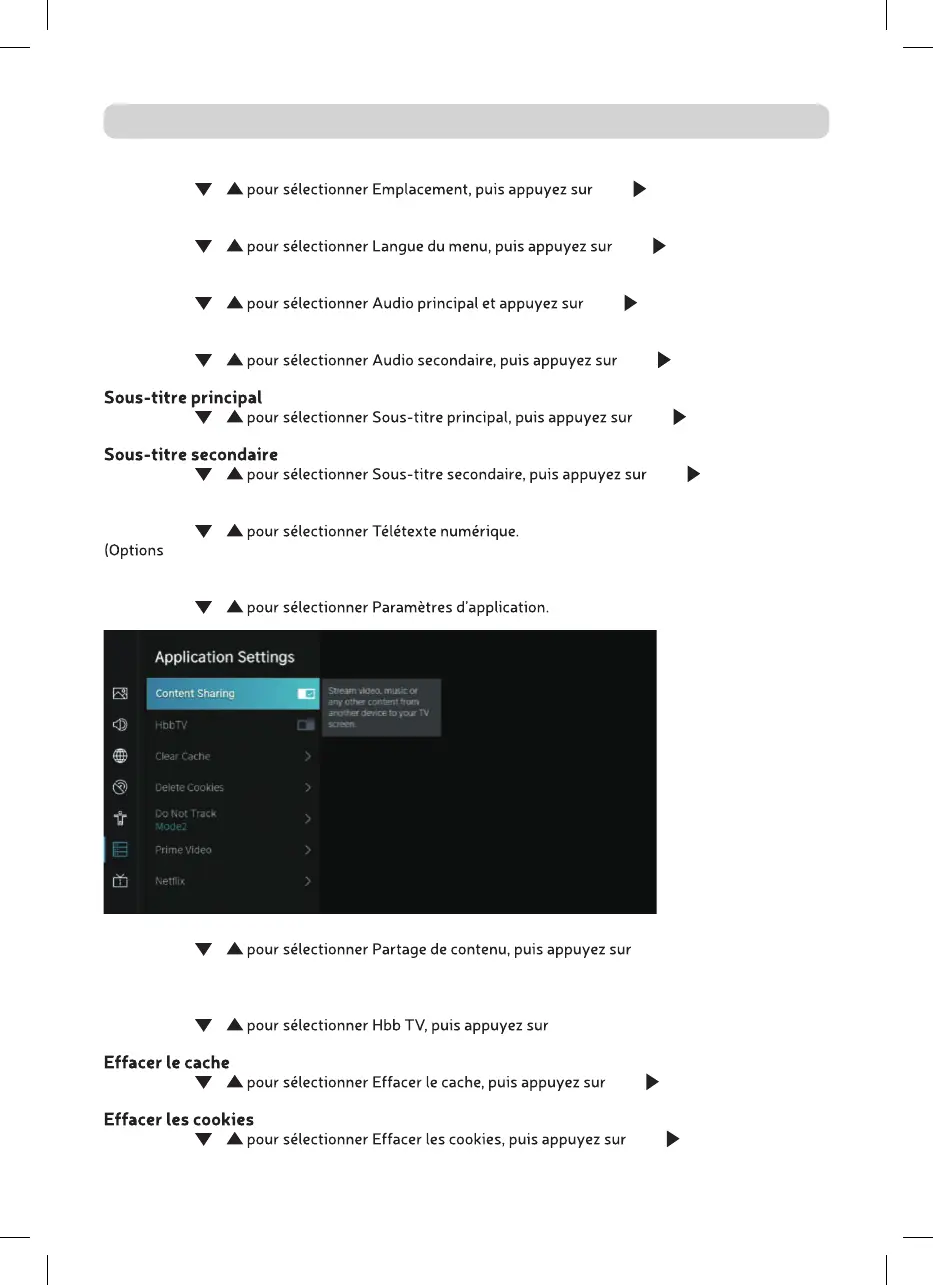
PARAMÈTRES DE L’APPLICATION
Appuyez sur /
Partager du contenu
Appuyez sur / OK pour choisir Marche/
Arrêt.
Hbb TV
Appuyez sur / OK pour choisir Marche/Arrêt.
Appuyez sur / OK / pour accéder au sous-
menu.
Appuyez sur / OK / pour accéder au
sous-menu.
SYSTÈME



 To Next Page