- 4 -
BATTERY LEVEL INDICATOR & CHARGING
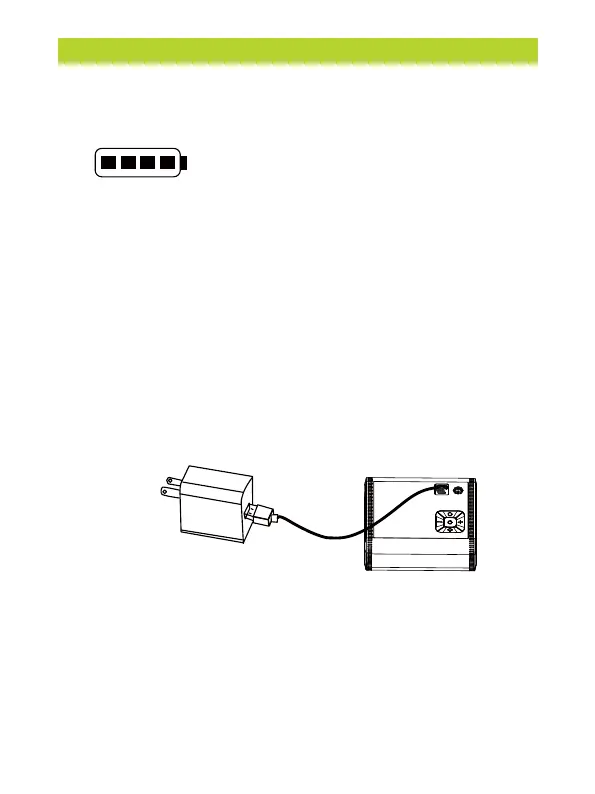
1 bar = under 25%
2 bars = between 25% and 50%
3 bars = between 50% and 75%
4 bars = between 75% and 100%
Battery Level Indicator
The battery level is shown by four bars, with each bar representing 25%.
Note:The battery indicator will flash when the battery level is below 20%.
Charging
Fully charge the inflator before using it for the first time. To charge,
connect it to a certified 5.0V/2A USB charger with the charging cable.
While charging:
1 bar flashing = under 25%
1 bar solid, 2nd bar flashing = between 25% and 50%
2 bars solid, 3rd bar flashing = between 50% and 75%
3 bars solid, 4th bar flashing = 75% and 100%
All 4 bars solid = fully charged
The inflator will automatically switch off if left inactive for 5 minutes
after being fully charged.
Note:
• Do not use the device while it’s charging via USB.
• The USB charger is recommended to use 5V / 3A. Use the
type-C charging cable to connect the air pump and power
adapter (NOT INCLUDED) for charging
• Charging status: battery indicator flashes
• Full state: the battery indicator light remains steadily lit without blinking.
• DC12V can only be used as a plug-and-play device and cannot be used
to charge the battery of an air pump.


 To Next Page