EasyManua.ls Logo

AnyTone THE OBLITERATOR OBLTR-8R - User Manual

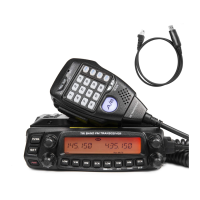
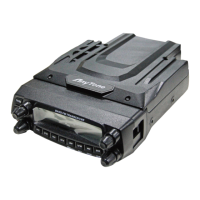
AnyTone THE OBLITERATOR OBLTR-8R
115 pages
Print Icon
To Next Page IconTo Next Page
Loading...
A1.150129
AnyToneTech.com
Package and Product Designed in U.S.A.
MADE IN CHINA
Copyright © 2015 by AnyTone Tech
All rights reserved. No part of this publication may be reproduced, distributed, or
transmitted in any form or by any means without the permission of AnyTone Tech

Table of Contents

Questions and Answers

  • S
    singramAug 14, 2025
    What to do if my AnyTone Two-Way Radio has no power?
    • T
      torresandrewAug 14, 2025
      There are several possible reasons: * The battery may be depleted. Recharge or replace the battery. * The battery may not be installed correctly. Remove the battery and install it again. * The power switch is broken. Contact local dealer for repair. * Battery tabs or the connection is broken. Contact local dealer for repair.
  • P
    phillipssharonAug 17, 2025
    What to do if I can receive voice but cannot transmit on my AnyTone Two-Way Radio?
    • K
      Kimberly OchoaAug 17, 2025
      Check the [PTT] key.
  • A
    Andrea KempAug 21, 2025
    Why can't I talk to or hear other members in my group on my AnyTone Two-Way Radio?
    • J
      jeffrey99Aug 21, 2025
      This could be due to several reasons: * Different frequency or channel - please change it. * Different CTCSS / DCS /DTMF - please reset it. * You may be out of communication range.
  • M
    Michael HenryAug 25, 2025
    What to do if my AnyTone Two-Way Radio loudspeaker is quieter or has crackling sound?
    • T
      travis59Aug 25, 2025
      Check whether the loudspeaker is broken, or if there is powder or dust in the loudspeaker. If the loudspeaker is broken, contact local dealer for repair.
  • J
    jkingAug 27, 2025
    Why does my AnyTone Two-Way Radio battery power die shortly after charging?
    • D
      Deborah DurhamAug 27, 2025
      Replace the battery pack with a new one.
  • A
    Andrew JohnsonAug 30, 2025
    What to do if my AnyTone Two-Way Radio transmitting audio gets low or intermittent?
    • K
      Karen KimAug 30, 2025
      Check if the MIC hole is plugged. If not, contact local dealer for repair.
  • D
    Dr. Arthur ReidSep 3, 2025
    What to do if my AnyTone Two-Way Radio receiving indicator shows a green light but there is no sound?
    • M
      Michael JenningsSep 3, 2025
      This could be due to low volume, please turn the VOLUME knob clockwise. If the loudspeaker or earphone jack is broken, contact local dealer for repair. If the volume switch is broken, no solution is mentioned.
  • C
    Caitlin ThomasSep 6, 2025
    How to adjust static and noise on all bands of my AnyTone Two-Way Radio?
    • M
      Mary SmithSep 6, 2025
      Adjust the squelch settings during programming.
  • R
    robert64Sep 9, 2025
    What to do if there is no sound after removing earphone from my AnyTone Two-Way Radio?
    • J
      Jeffrey EllisSep 9, 2025
      Contact local dealer for repair.

Summary

Users Manual Title Page

Introduction and Safety

Radio Versions and Key Features

Details the OBLTR-8R and TERMN-8R models and their primary capabilities.

Safety Warnings and Precautions

Essential safety tips for using the transceiver and its accessories to prevent damage or injury.

Getting Started

Unpacking, Accessories, and Installation

Guide to unpacking, identifying accessories, and installing radio components.

User Modes and Basic Operations

Setting up radio modes (Amateur/Commercial) and performing basic operations like power, volume, and tuning.

Radio Functions and Operations

Radio Controls and Display

Understanding the LCD display icons and operating the radio's buttons and ports.

Shortcut and Menu Operations

Utilizing shortcut operations and navigating function menus for OBLTR-8R and TERMN-8R.

Advanced Functions

Exploring advanced features like display modes, signaling, calling, and frequency usage.

Cloning and Memory Banks

Methods for cloning radio data and managing memory banks for channel storage.

Technical Information and Support

Software, Specifications, and Charts

Information on programming software, technical specifications, and frequency reference charts.

Troubleshooting and Compliance

Guide to resolving common issues and understanding FCC compliance requirements.

Warranty and Company Information

Details on limited warranty coverage and contact information for the manufacturer.

AnyTone THE OBLITERATOR OBLTR-8R Specifications

General IconGeneral
BrandAnyTone
ModelTHE OBLITERATOR OBLTR-8R
CategoryTransceiver
LanguageEnglish

Related product manuals