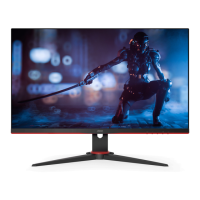
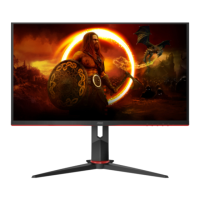
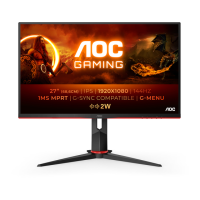
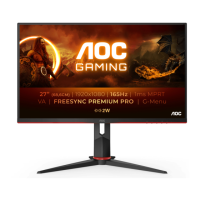
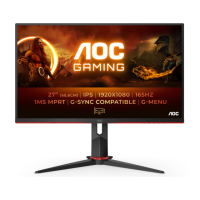
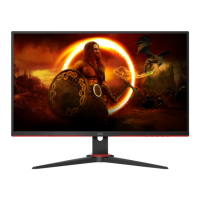
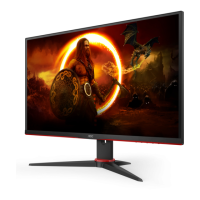
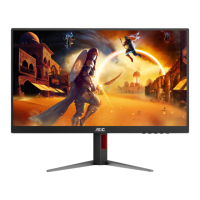
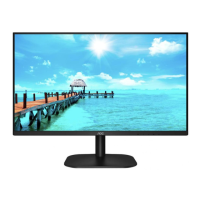
This document is the User Manual for the AOC 27G2Z LCD Monitor, a gaming display designed for high-performance visual experiences.
Function Description:
The AOC 27G2Z is an LCD monitor primarily designed for gaming, indicated by the "AOC GAMING" branding. It offers a range of features aimed at enhancing the gaming experience, including adaptive synchronization technologies and various game-specific display modes. The monitor can be connected to a PC via HDMI or DisplayPort, and it includes an earphone output for audio. Its OSD (On-Screen Display) settings allow for extensive customization of picture quality, color, and gaming-specific parameters.
Important Technical Specifications:
- Model Name: 27G2Z
- Panel Type: TFT Color LCD
- Viewable Image Size: 68.5 cm diagonal (approximately 27 inches)
- Pixel Pitch: 0.3108mm(H) x 0.3108mm(V)
- Display Color: 16.7 Million Colors
- Horizontal Scan Range: 30k-255kHz
- Vertical Scan Range: 48-240Hz
- Optimal Preset Resolution: 1920x1080@60Hz
- Max Resolution: 1920x1080@240Hz
- Plug & Play: VESA DDC2B/CI
- Power Source: 100-240V~, 50/60Hz
- Power Consumption:
- Typical (Default brightness and contrast): 34W
- Max. (brightness = 100, contrast = 100): ≤ 53W
- Standby mode: ≤ 0.3W
- Connector Type: HDMI/DP/Earphone out
- Signal Cable Type: Detachable
- Operating Temperature: 0°C ~ 40°C
- Non-Operating Temperature: -25°C ~ 55°C
- Operating Humidity: 10% ~ 85% (non-condensing)
- Non-Operating Humidity: 5% ~ 93% (non-condensing)
- Operating Altitude: 0 ~ 5000 m (0 ~ 16404ft)
- Non-Operating Altitude: 0 ~ 12192m (0 ~ 40000ft)
- Adaptive-Sync Function: Available with DP/HDMI, compatible with Radeon™ RX Vega, RX 500, RX 400, R9/R7 300 (excluding R9 370/X, R7 370/X, R7 265), Pro Duo (2016), R9 Nano, R9 Fury, and R9/R7 200 series (excluding R9 270/X, R9 280/X) graphics cards.
- AMD FreeSync Premium Function: Available with DP/HDMI, compatible with the same Radeon™ graphics card series as Adaptive-Sync.
Usage Features:
- Setup and Installation: The manual provides clear instructions for assembling the stand and base, as well as for wall mounting (VESA compatible, though screw holes may not be available for all models). It emphasizes safety precautions during installation, such as maintaining adequate ventilation space around the monitor and avoiding tilting the screen downward by more than -5 degrees to prevent damage.
- Connectivity: The monitor offers HDMI-1, HDMI-2, DP (DisplayPort), and Earphone connections. Detailed steps are provided for connecting the monitor to a PC, including power and signal cables.
- Adjusting Viewing Angle: The monitor allows for tilt adjustments from -5° to 23° and height adjustment up to 130mm. Users are advised to hold the stand firmly and avoid touching the LCD screen during adjustment.
- Hotkeys: Dedicated hotkeys provide quick access to Source/Exit, Game Mode, Dial Point, Menu/Enter, and Power functions.
- OSD Setting: The On-Screen Display offers comprehensive controls for:
- Luminance: Adjusts Contrast, Brightness, Eco Mode (Standard, Text, Internet, Game, Movie, Sports, Reading), Gamma (Gamma1, Gamma2, Gamma3), DCR (Dynamic Contrast Ratio), and HDR Mode (DisplayHDR, HDR Picture, HDR Movie, HDR Game).
- Color Setup: Includes Color Temp (Warm, Normal, Cool, sRGB, User-defined RGB gains), DCB Mode (Full Enhance, Nature Skin, Green Field, Sky-blue, Auto Detect, OFF), and DCB Demo.
- Picture Boost: Allows adjustment of Bright Frame (on/off), Frame Size, Brightness, Contrast, H. position, and V. position within the bright frame.
- OSD Setup: Configures Language, Timeout, DP Capability (1.1/1.2/1.4), H. Position, V. Position, Volume, Transparence, and Break Reminder.
- Game Setting: Offers Game Mode (FPS, RTS, Racing, Gamer 1, Gamer 2, Gamer 3, off), Shadow Control, Low Input Lag (On/Off), Overdrive (Weak, Medium, Strong, Boost, Off), Game Color, LowBlue Mode (Reading/Office, Internet, Multimedia, Off), MBR (Motion Blur Reduction), Adaptive-Sync/AMD FreeSync Premium (On/Off), and Frame Counter.
- Extra: Provides Input Select, Auto Config, Off Timer, Image Ratio (Wide, 4:3, 1:1, various 17"-24" aspect ratios), DDC/CI (on/off), and Reset to default settings.
- LED Indicator: The power LED is white in Full Power Mode and orange in Active-off Mode.
- Troubleshooting: A dedicated section addresses common issues such as no image on screen, fuzzy pictures, flickering, missing colors, and screen positioning, offering possible solutions and advice.
- Plug and Play (DDC2B): The monitor supports VESA DDC2B capabilities, allowing it to communicate its identity and display capabilities to the host system.
Maintenance Features:
- Cleaning: The manual advises regular cleaning of the cabinet with a water-dampened, soft cloth. For the screen, a soft cotton or microfiber cloth, damp and almost dry, should be used, ensuring no liquid enters the case. Users are instructed to disconnect the power cord before cleaning.
- Safety Precautions: Warnings are provided against overloading power strips, operating the monitor in unstable conditions, spilling liquids, blocking ventilation, and subjecting the monitor to severe vibration or impact. It also advises disconnecting power during lightning storms or prolonged disuse. In case of strange smells, sounds, or smoke, immediate disconnection and contacting a Service Center are recommended.

 Need help?

 To Next Page
 General