
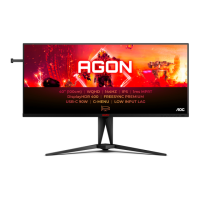
 Need help?
Do you have a question about the AOC AGON AG405UXC and is the answer not in the manual?
Explains document's notational conventions like notes, cautions, and warnings.
Lists all items included in the monitor package.
Step-by-step instructions for assembling and disassembling the monitor stand and base.
Guide on how to adjust the monitor's angle and position for optimal viewing.
Details on connecting various cables to the monitor and PC for operation.
Information on the AMD FreeSync Premium feature and compatible hardware.
Explanation of HDR compatibility and how the display activates the HDR function.
Guide on using the KVM switch to control multiple devices with one set of peripherals.
Explanation of the monitor's hotkeys for quick access to functions like KVM, Source, and Game Mode.
Detailed explanation of each button on the remote control and their functions.
Configuration options for optimizing the monitor for gaming performance and visuals.
Adjustments for brightness, contrast, gamma, and ECO modes for optimal picture quality.
Configuration for Picture-in-Picture (PIP) and Picture-by-Picture (PBP) modes.
Options for adjusting color temperature, LowBlue Mode, DCB, and RGB gains.
Settings for input select, volume, USB, image ratio, DDC/CI, and reset.
Configuration of OSD language, timeout, DP capability, position, transparency, and break reminder.
Overview of the monitor's technical details including model, panel, and general features.
Table listing supported resolutions, horizontal and vertical frequencies for various display modes.
Detailed pin configurations for the 19-pin and 20-pin display signal cables.
Explanation of the monitor's VESA DDC2B capabilities for Plug & Play functionality.


 To Next Page
 General